Quantcast
Channel: YouTrack : Powerful project management for all your teams | The JetBrains Blog

YouTrack Introduces Free Writing Assistance, Powered by JetBrains AI

$
0
0

Writing assistance powered by JetBrains AI is now included in YouTrack 2024.2. All cloud and server customers with active subscriptions can use it for free to automatically check grammar, spelling, and punctuation and add precision and flair to their writing.

We’ve also added improvements based on the most popular requests from teams using various parts of YouTrack on a daily basis. In YouTrack Helpdesk, you can now create online forms with conditional fields that allow for enhanced customization of your reporters’ tickets, while also allowing agents to clone tickets in order to work on them in other, non-helpdesk projects. Also, agents now know when other agents add comments. Additional improvements include streamlined setup for new projects, major performance and scalability boosts, and more.

Free AI-powered writing assistance for everyone

AI assistance in YouTrack now comes with even more features to enhance your teams’ efficiency. It can now help you with real-time proofreading of texts everywhere in YouTrack. The currently supported languages include English and German, with more to be added in the future. 

You can rely on the AI to help describe your tasks, write articles, or participate in discussions. It will automatically check grammar, spelling, and punctuation as you write, and you can check the suggestions one by one or apply all corrections at once.

These proofreading features supplement the functionality of AI Assistant in YouTrack, which has been available since 2023 – generating at-a-glance summaries of content in tasks, articles, or support tickets, as well as making suggestions when composing replies.

To make the functionality available to your team members, your administrators should enable the AI-powered features on your YouTrack Cloud or Server, and then turn on the writing assistance feature. Both of the options rely on JetBrains AI credits, which are now replenished weekly for free. Later on, we’ll add the opportunity to purchase more JetBrains AI credits in case your team runs out.

Helpdesk improvements for support teams

Create online ticket collection forms with conditional fields

Online forms, which users fill out to file tickets in your helpdesk projects, have become more flexible. You can now use conditional fields to help you collect relevant information based on what reporters have provided in another field. For example, after the customer selects a request type, subsequent fields will present only the options that are relevant to this kind of request.

Project administrators in helpdesk projects can set the dependency between fields. One or several conditional fields can be shown based on a previously selected field. Then, you can add as many such fields as you need to the form, and they will be shown to reporters based on the settings you define. That way, you can ask for various data based on the product, type of request, and so on.

Know when other agents add comments 

Sometimes, multiple people are involved in resolving the same support request. Now, support agents and your team members can see when other agents or team members are in the process of adding a comment to a ticket. This helps avoid duplicating efforts and lets you know who is working on an answer to the customer right now. A simple note showing your colleague is typing something will help agents to coordinate their work.

Clone tickets to non-helpdesk projects

This enhancement is also based on one of the most popular scenarios experienced by support teams using YouTrack. Sometimes, based on the information in your ticket, you want to continue working on it in one of your internal projects and convert the request into a feature or some other type of issue. Now, you can use the Copy to issue tracker command to easily create a copy of the ticket in another selected project. The newly created task will also automatically be linked as “relates to” the ticket in the helpdesk project, helping you track the source of the new issue.

Convenience in working with tasks and articles for everyone

View the history of text changes in tasks, articles, and comments

Based on your feedback, we’ve added the ability to review the edits applied to issue descriptions and comments to issues and articles (in addition to the previously available option to check on the history of changes for articles). This allows you to access a list of previous updates with information about who made each change and when. Highlights of the changed lines should help you navigate through texts easily. If the change was made in error or should be reverted, you can restore a previous version at any time. Use the settings or the activity stream to start working with the history of changes.

Convenience in working with attachments 

For administration, legal, and other project teams, we’ve made it easier to deal with multiple document attachments. You can now choose how to view attachments – as file previews or as a list with details about each document. Attachments are also grouped into those added to the task description and files that were uploaded later in the comments. Finally, when you need to minimize distraction, you can just collapse the whole attachment section.

Improvements for dark theme lovers

We’ve significantly improved our dark mode for better visibility and convenience. We won’t try to describe the changes, but we hope they make a difference for many of you who prefer working in dark mode. Just check out the mode in YouTrack, as a picture is worth a thousand words.

Export articles as Markdown files

A new feature, also based on a very popular request, lets you export articles as Markdown files. This makes it easier for you to transfer your content from the YouTrack Knowledge Base to other platforms, applications, or systems without losing formatting and structure. Choose whether you want to export individual articles or all of their sub-articles, comments, and attachments.

Support for Mermaid diagrams for developers, technical writers, and project managers

Support for Mermaid syntax is a long-awaited feature for teams and project leaders who prefer a text-based, code-friendly approach to creating their visualizations. YouTrack now supports diagrams and charts created using Mermaid markup. You can add them to your tasks or articles and share them in comments – even inline comments in a Knowledge Base. Just embed the diagram as a code block with Mermaid syntax, and it will then be rendered automatically.

Easier creation of new projects for project administrators

We have updated the project wizard in YouTrack to help your project managers navigate the project creation process more easily. You can start with a project template and customize it to the team’s needs. Choose between the Default, Helpdesk, Scrum, and Kanban templates to kick off. The project wizard will lead you through the process of configuring each project and task template. In the next steps, you can invite your team members, enable time tracking, and select other settings.

The default project template would be a good place to start to configure everything based on your specific team’s scenario. In addition to that, for teams working in time-boxed iterations, for example, a Scrum project would provide preconfigured tasks with fields and two preconfigured Agile Boards with sprints – one for project managers and another for the development team.

If you want to experiment with various YouTrack configurations, you can also choose the Demo project template. It contains a preconfigured set of sample tasks, a collection of Agile Boards, reports, and a dashboard.

YouTrack has become faster for everyone

Both the cloud and server versions of YouTrack have undergone major performance and scalability improvements. Being able to do what you need to do quickly is always a priority and something that many teams mention as a key advantage of YouTrack over other trackers. This is why we’ve made YouTrack work significantly faster for the most frequently performed actions.

YouTrack is now able to handle more issues, articles, and files with fewer CPU cores and less RAM. The main pages, such as the issue pages, issue lists, and many more now load noticeably faster, with less traffic and lower server response times, especially for bigger YouTrack installations with thousands of users.

Other enhancements

YouTrack workflows now include more options related to articles, comments, and attachments. This release also includes upgrades to VCS and Build Server integrations, import configurations, and more.


Check out the Release Notes for the full technical details and a comprehensive list of bug fixes and improvements in this release. For details on configuring the latest features, see the documentation.

If you use YouTrack Cloud, you’ll automatically be upgraded to YouTrack 2024.2 in accordance with our Maintenance Calendar. If you have an active YouTrack Server subscription, you can download YouTrack 2024.2 today. If you don’t already have a license, you can use the free trial to test out the new version before you commit to buying! For more information about the licensing options available for YouTrack, please visit our Buy page.

We always appreciate your feedback. Please share it in the comments below, and don’t hesitate to contact our Support team if you have any questions. We’re always here to help!

Your YouTrack team


The YouTrack App Now Supports Helpdesk Projects

$
0
0

The YouTrack Helpdesk functionality has arrived in the YouTrack app! This means you can manage your customer support services on the go. Your agents and other team members can now work with support requests from their phones and tablets, and your reporters can submit and review tickets and public Knowledge Base articles in the app too.

A new YouTrack app version is already available for iOS or Android. If you’ve already started a helpdesk project in YouTrack, all existing and newly submitted tickets will automatically appear in the app.

How support agents and other team members work with tickets in the app

Navigate to all tickets via a new Helpdesk tab

A separate Helpdesk tab appears for support agents and other team members who can access helpdesk projects. It allows you to view a list of all tickets and navigate to separate support requests via search queries or filters. You can view tickets in various preview options – from a small view to a large one with an expanded ticket description. 

The current Issues tab has also been updated with support tickets. When needed, your tickets will appear here among other issues in non-helpdesk projects.

If some of your team members who have access to helpdesk projects don’t need to see the Helpdesk tab in the app, they can turn it off in the app settings.

Work with tickets on the go

The app allows you to work with support tickets. You can assign agents to tickets, view the SLA goals, update statuses, and apply other updates to tickets. For example, the CC field is easily updatable from the YouTrack Mobile app, so you can add additional team members from the customer side in the loop immediately. This can be useful when dealing with a mix of online and offline communication, or when you get updates during a call or a customer meeting. 

You can publish answers and participate in ticket discussions in the app the same way you would on the desktop version. Agents can post replies that are sent to the customers, and both agents and other team members can discuss tickets privately by making their ticket comments visible to other team members only. The app and email notifications will update you and your reporters about new ticket activity.

Your reporters’ experience in the app

Access existing tickets and create new ones

In most popular scenarios, external customers – reporters – receive emails about updates to their ticket statuses. In some cases, your customers may need access to their tickets or articles in the public Knowledge Base in YouTrack. Every once in a while, your reporters might need quick access to the submitted requests and public documentation. For that purpose, they can now also use the YouTrack app.

You can share your YouTrack URL with your reporters, and they can install and log in to the YouTrack app to view all of their submitted tickets and create new ones – straight from their ticket list page. 

The app can help when you’re using a tablet or smartphone to collect feedback or tickets from your reporters. For example, having the device set up in a public place on company premises, or even equipping employees with mobile devices. In these cases, a mobile app is much more convenient than a web version as a way to handle feedback.

Engage with Knowledge Base articles

The app supports the Knowledge Base for your reporters as well. They can view public articles published in your helpdesk projects. With the app, it’s possible to read, browse, and comment on articles on the go.

YouTrack Helpdesk is available for YouTrack Cloud and Server customers. If you don’t have an active YouTrack subscription, you can use YouTrack for free with 10 users. 

If you are already using YouTrack but have not started a helpdesk project, please feel free to check out YouTrack Helpdesk for your support team needs and create a helpdesk project in your YouTrack. You can start and use a helpdesk project with 3 support agents and unlimited reporters for free and scale up when you need it for a larger support team.  

We always appreciate your feedback – please share it in the comments below, and don’t hesitate to contact our Support team if you have any questions. We’re always here to help!

Your YouTrack team

YouTrack Introduces Apps

$
0
0

With the new YouTrack 2024.3 release, one of the most hotly anticipated functionalities in the YouTrack roadmap – apps – goes live! Apps help teams customize YouTrack to fit their specific needs, improving project management, reporting, automation, and integration with other tools. You can now use and create apps to extend YouTrack’s functionality and add new features, tools, and integrations that aren’t available out of the box.

Following this latest update, Text-to-Issue Transformation is also now available thanks to the power of AI. You can now effortlessly create tasks from any selected text. The AI scans your text for actionable items and enables you to convert them into issues with just a few clicks. This gives you the flexibility to quickly generate new issues whenever you need them, streamlining your workflow like never before. 

Let’s take a closer look at what’s available with this major update.

Customize YouTrack with apps

What are YouTrack apps?

Apps extend and customize YouTrack so that it works exactly the way your team needs it to. They are small programs that project administrators can install into YouTrack to enhance or change its functionality. Apps may include workflows that automate some processes, or they can be designed to change the way YouTrack behaves – for example, they may add action buttons or widgets in various parts of your task view, as well as articles or even an additional section in the top bar menu leading to a separate page.

Apps can work as a connector between different systems. For example, this means you can get snapshots of data from an external source by registering a webhook (e.g., your customer data platform) in your customer tickets in the helpdesk or add buttons that transform the information from YouTrack and export it to a dashboard on your corporate portal – the possibilities are endless.

Apps functionality is available to both YouTrack Cloud and YouTrack Server customers. As a result, YouTrack is now even more flexible. If you need to extend YouTrack with some functionality that is not yet available out of the box, one option would now be to explore whether you could do this by building an app.

Where to get Apps

Use the preinstalled Apps

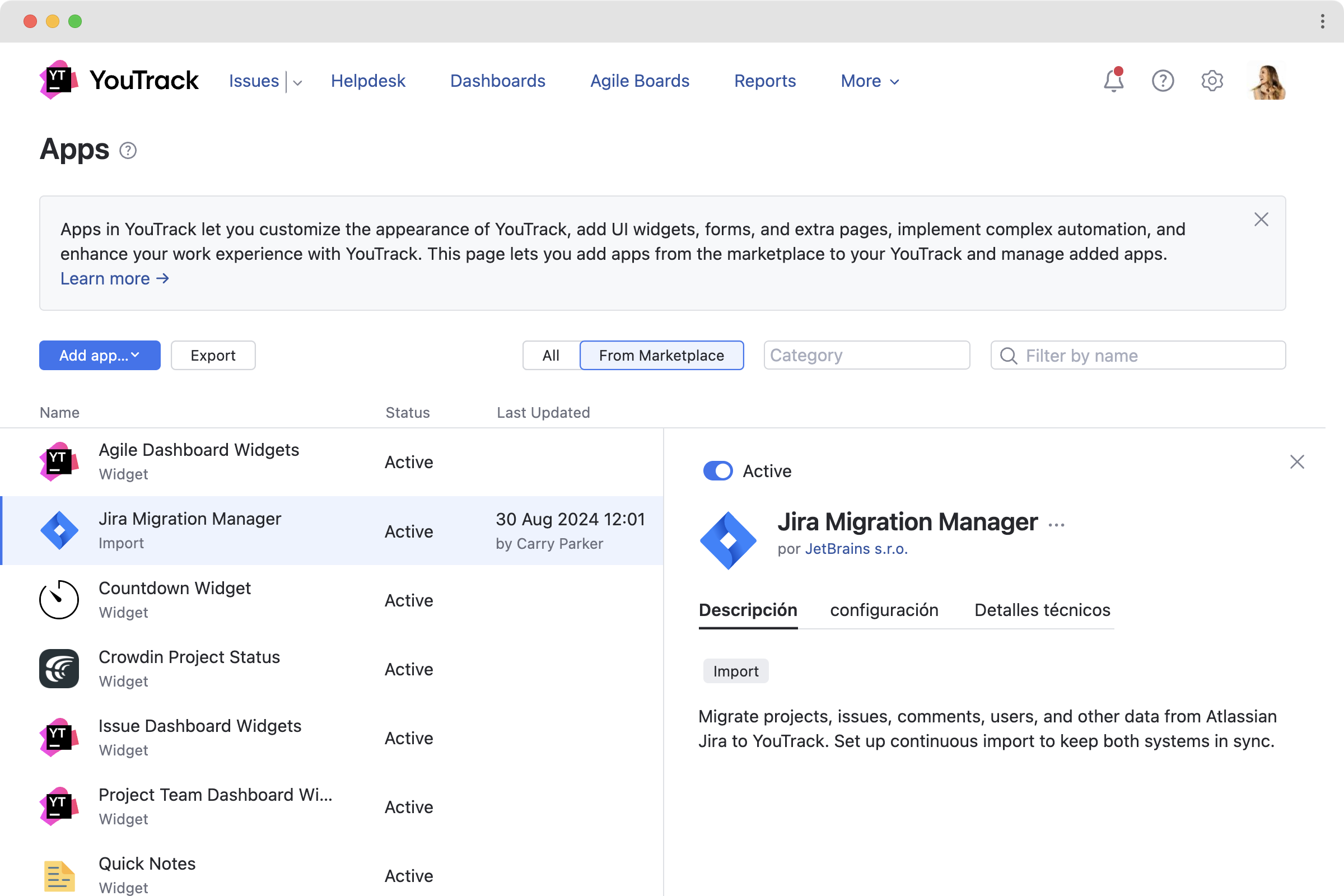
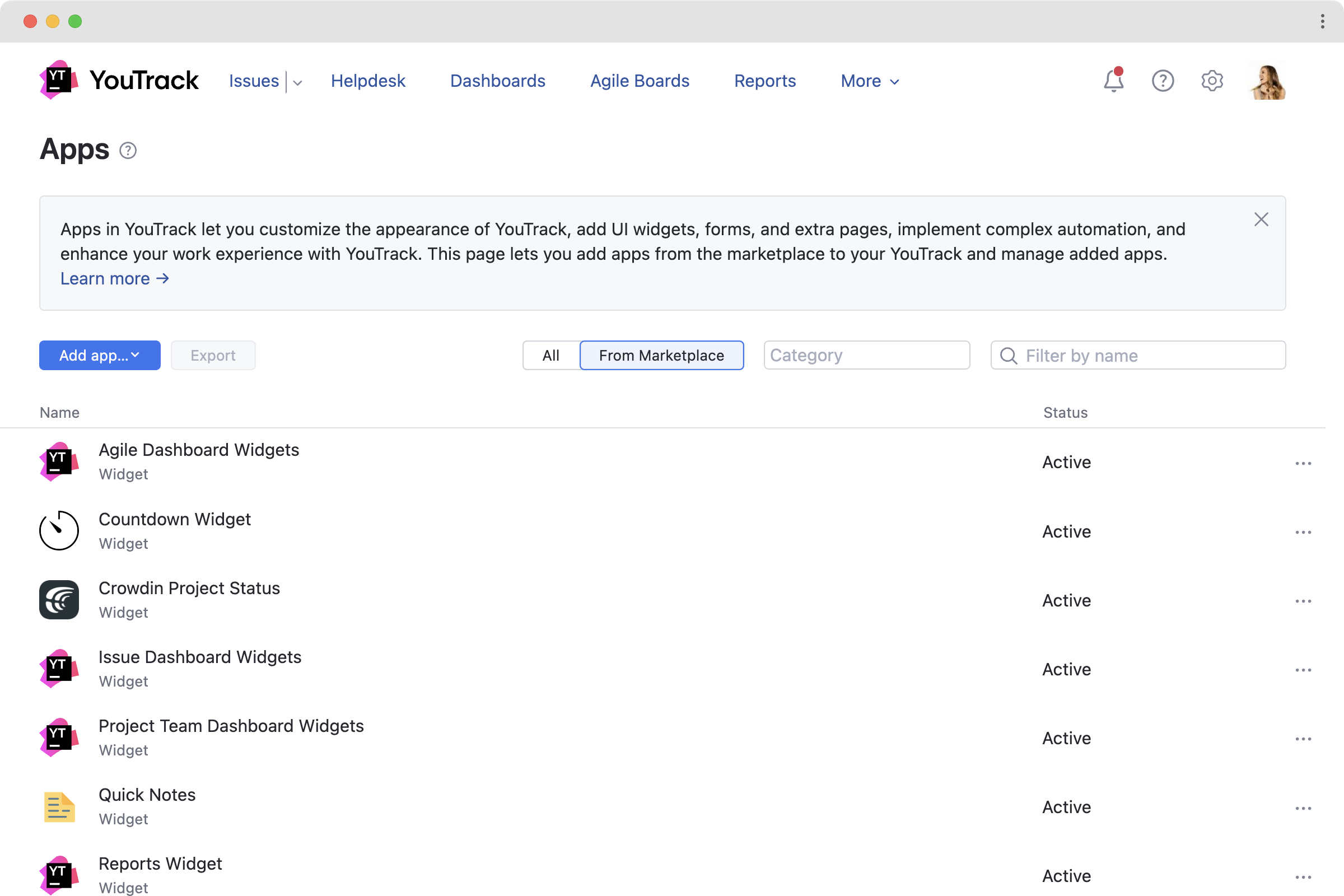
Several apps come bundled with YouTrack by default. They are intended to provide the functionality that used to be available via default workflows and widgets for dashboards. In the AdministrationApps menu, you will see apps that can be used to import tasks and projects from various sources, such as Jira Migration Manager, Widgets for Dashboards, as well as the other various predefined workflows that you can choose to enable for your projects. All your previously added workflows will also be displayed here, enabling admins to manage everything in one place.

Dashboard widgets

With this release, dashboard widgets are now taken care of by apps. This simplifies the management of widgets and also opens up new customization possibilities. Widgets can now be more easily modified or extended through apps, giving you greater control over how information is displayed on your dashboards.

Browse JetBrains Marketplace

Beyond the default apps included with YouTrack, JetBrains has also developed several other apps that can already be downloaded for free from JetBrains Marketplace.

The Article Feedback app adds a widget that lets you collect and analyze reader feedback for articles in the YouTrack Knowledge Base.

The Vote Histogram app displays a visualization of voting activity over time for a specific issue.

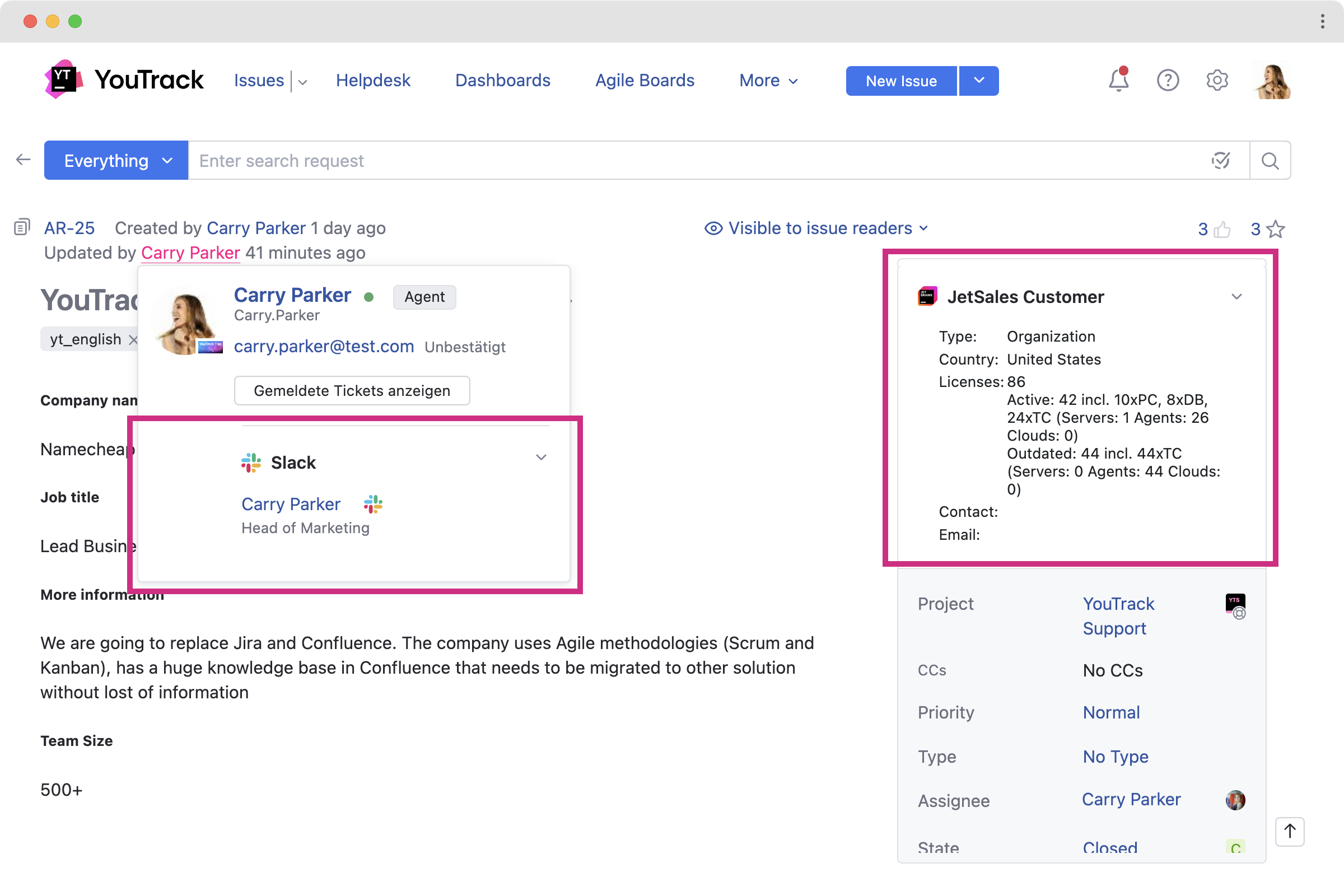
The Slack User Status app adds a Slack widget to user cards. The widget displays the user’s name and title, their current status, and includes a button that you can click to open a direct message in your Slack workspace.

Below, you’ll find some examples of the apps that have been created by our partners and customized according to their clients’ needs.

Multi-Sprint Planner for software developers by twenty20

This app helps software development teams working on scrum boards manage sprints and backlogs more easily. It adds a new section to YouTrack’s main menu where multiple sprints can be viewed at once – one sprint per lane. With such a view, it’s easier to structure the project into multiple sprints and better organize the development process.

Please feel free to check the app – it’s available in the JetBrains Marketplace for free.

Extension for YouTrack for legal teams by AgiLawer

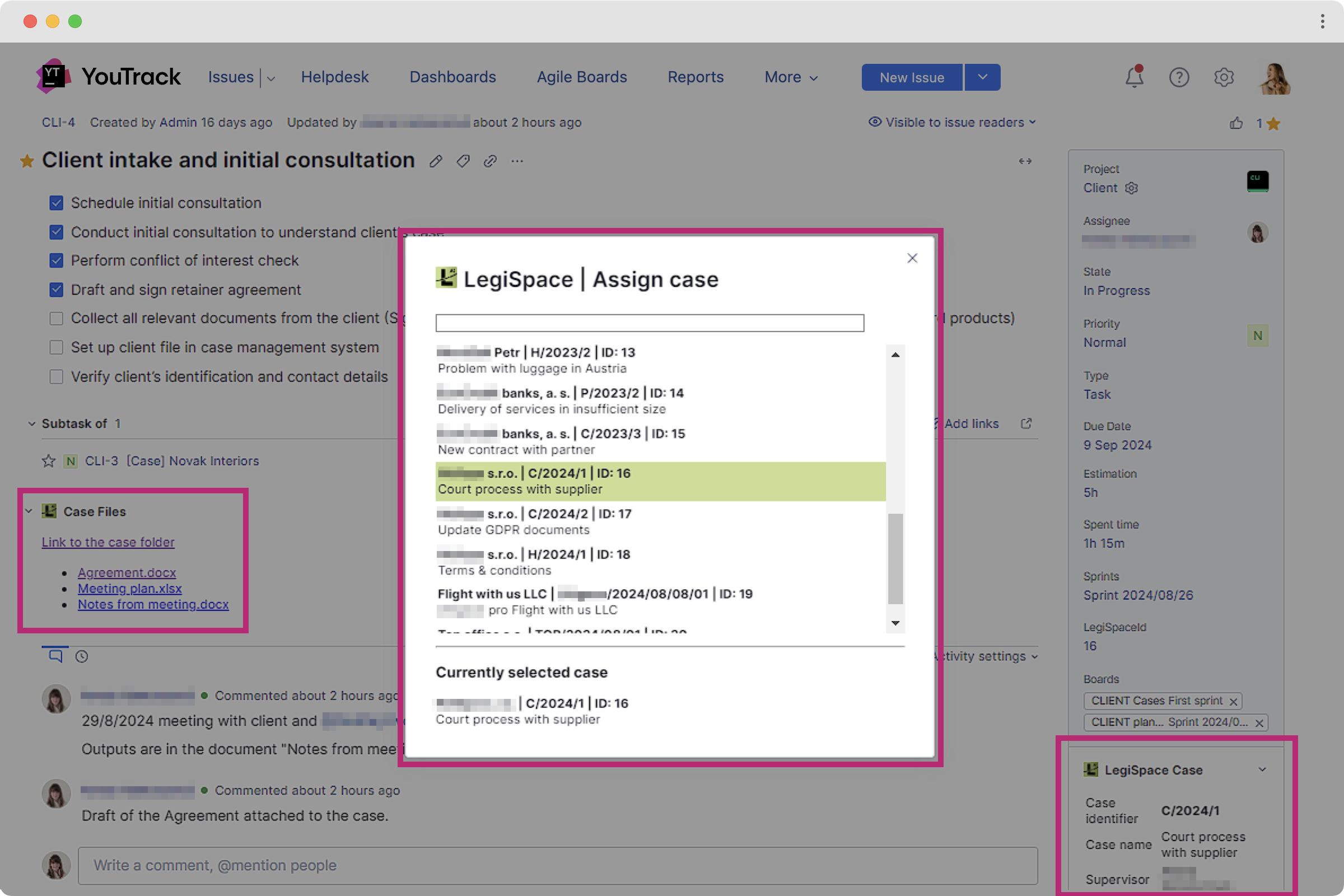
For the needs of legal teams, YouTrack consulting partner AgiLawyer recommends integrating YouTrack with LegiSpace, a platform that centralizes information and seamlessly connects with multiple other tools. This powerful combination simplifies daily operations by streamlining legal management processes, such as client case management, reporting of billable hours, invoicing, and many more, all enhanced by the LegiSpace app within YouTrack. The Legispace app connects the YouTrack task to the customer profile and the cases and documents in the Legispace app.

If you’re interested in expanding YouTrack’s capabilities for your legal needs, reach out to the AgiLawyer team for a demo to see how customization can benefit you.

Everyone is welcome to publish any apps they’ve created on JetBrains Marketplace. When an app is submitted, the JetBrains team will check it, and once it has been successfully verified, the app will be made available for anyone to install. We hope that with the help of our strong user community, the collection of available apps will continue to grow.

Bring your app requests to your consulting partners or to the YouTrack team

In addition to those published on Marketplace, you can always create an app yourself or use one created by a consulting partner based on your needs and set it up directly in your YouTrack. Creating apps requires some coding experience. If you need a custom solution tailored to your company’s requirements but don’t have that resource in your team, please feel free to reach out to our consulting partners for help. When your YouTrack is upgraded to the 2024.3 version, the option for setting up apps becomes available automatically.

You can also share your business requirements with the YouTrack Support team, and we’ll discuss if it is possible to create a solution for you with our paid premium support service.

Making the app available for your team

Each app can be used for your entire YouTrack instance on the global level or enabled for specific projects only. Administrators can manage the users and groups who will have access to an app by using visibility controls. YouTrack apps have a set of options that you can use to restrict visibility for certain users.

Create your own app

You can start developing your app right away. Here are some resources for getting started.

  • Browse through our documentation, including the Quick Start Guide for app creators.
  • Check out the sample app for reference, which you can then upload to your YouTrack. Please refer to this part of the documentation to help you install the demo app. This example will give you hands-on experience with the basic structure and functionality of an app, allowing you to see firsthand how modules are implemented and how they interact with YouTrack’s existing features. For example, it adds widgets directly to your task above custom fields, quotes to the top and bottom in the description, a toolbar in the Show more section, and a Main menu item.

When your app is ready, you can choose to restrict its use to internal personnel only, share it with your customers directly, or publish it to JetBrains Marketplace for everyone to download.

App monetization and next steps

We have only just made apps available, so the collection of ready-to-download apps is still relatively small. However, we are confident that it will soon grow with the effort of our community, partners, and the JetBrains team. Furthermore, we hope that apps will help speed up the implementation of requested features from our YouTrack public issue tracker.

For now, all the apps available on JetBrains Marketplace can be downloaded for free. For newly created apps, it’s now possible to publish the app to JetBrains Marketplace so it’s free to download for everyone. However, if you have billing set up on your side, it’s also possible to have monetization built in as part of an app. 

In time, we’re planning to add an option to publish paid apps, enabling app authors to be remunerated for the custom solutions they provide, though there is no firm date for introducing this option yet.

We at the YouTrack team will be happy to collaborate with app authors by inviting our technological and consulting partners to share information about brilliant, complex apps in our media to encourage customers to reach out to you for the paid version. Please feel free to contact us to discuss this opportunity further.

Text-to-Issue Transformation

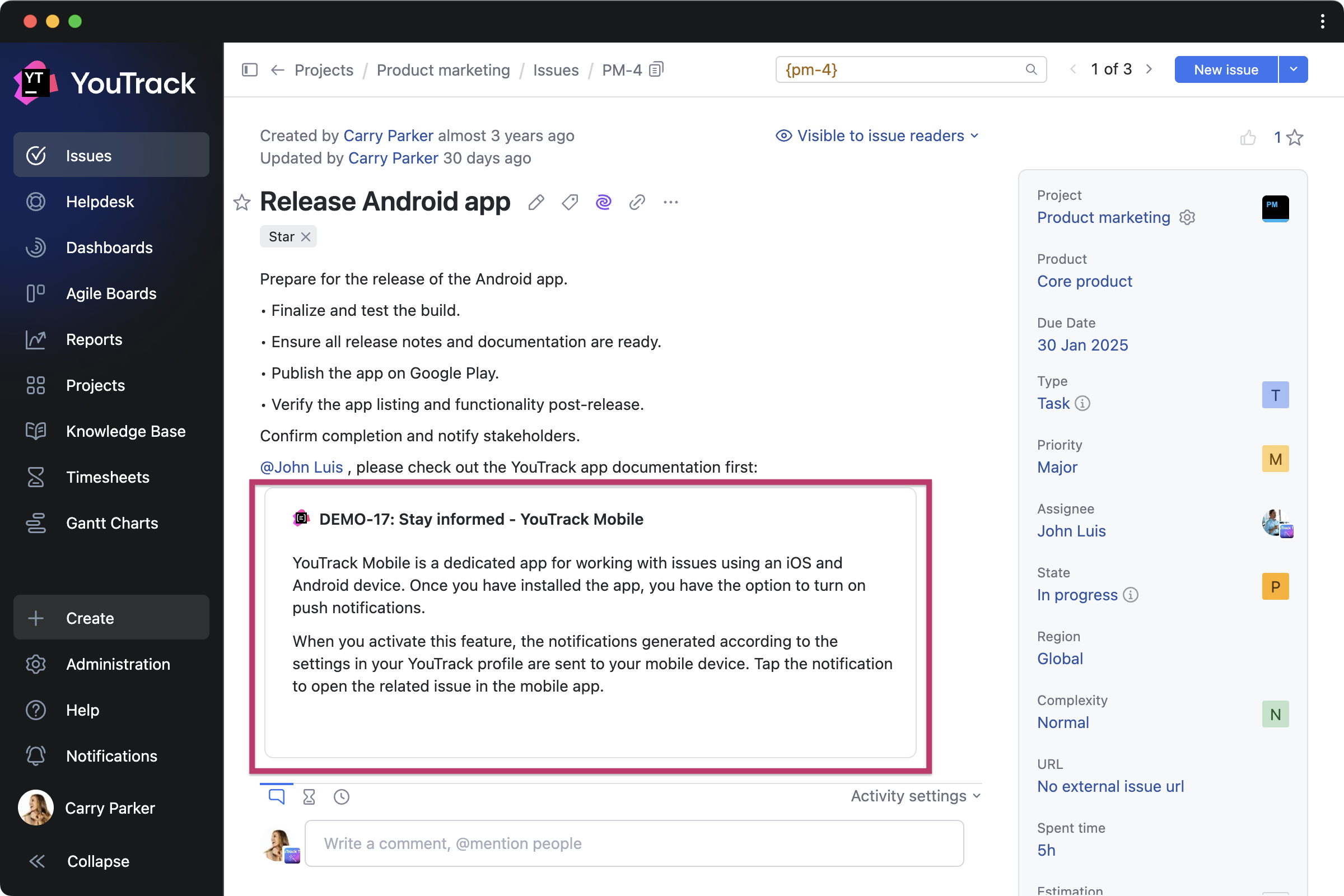
The power of AI has made it possible to implement one of the most hotly anticipated functionalities in our roadmap, allowing users to create new tasks in seconds. With this feature, you can scan selected text for possible action items, choose which ones to transform into issues, and finally create them all at once.

Additionally, you can use the selected text to generate new issues. This helps to quickly create a hierarchy of tasks and subtasks for them using the meta issue.

Generic VCS Integrations

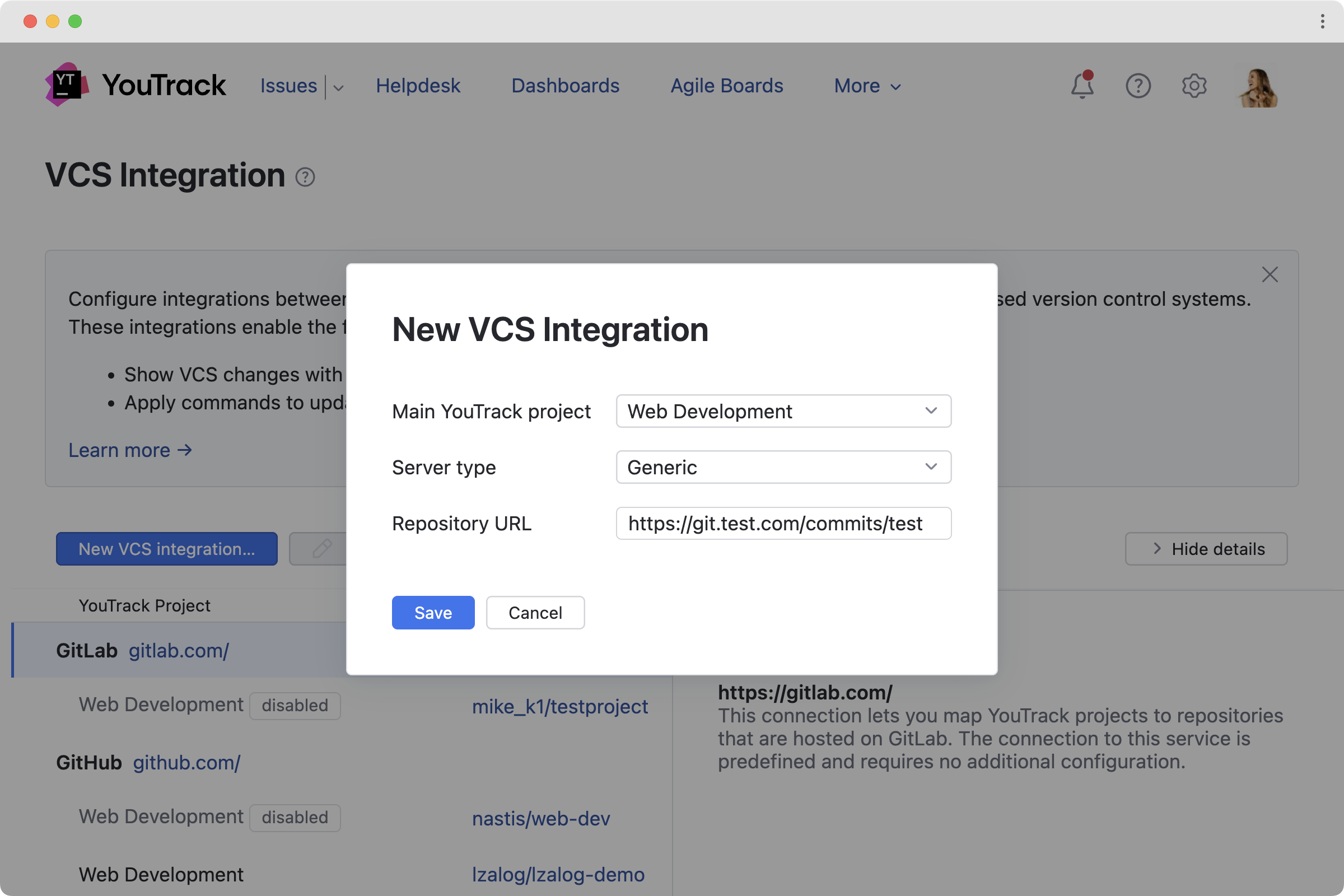
Software development teams frequently use integrations with popular VCS systems available out of the box. With this in mind, we have added an option to integrate with VCS besides those included in the list.

You can now manually attach commits to issues in YouTrack, ensuring that your development process stays organized and transparent. Additionally, you can programmatically add links using webhooks.

UI enhancements

Several pages in YouTrack have been tidied up and polished. This includes dashboards, the project list, and the workflow administration page.


Check out the release notes for the full technical details and a comprehensive list of bug fixes and improvements in this release. For details on configuring the latest features, see the documentation.

If you use YouTrack Cloud, you’ll automatically be upgraded to YouTrack 2024.3 in accordance with our Maintenance Calendar. If you have an active YouTrack Server subscription, you can download YouTrack 2024.3 today. If you don’t already have a license, you can use the free trial to test out the new version before you commit to buying! For more information about the licensing options available for YouTrack, please visit our Buy page.

We always appreciate your feedback. Please share it in the comments below, and don’t hesitate to contact our Support team if you have any questions. We’re always here to help!

Your YouTrack team

How To Organize Your Legal Team’s Work In YouTrack

$
0
0

It’s no secret that YouTrack is used by various sorts of teams, including legal ones. In conversations with our customers, legal technologies and legal operations are emerging as hot topics. YouTrack can help legal firms whose main areas of business are jurisprudence and providing legal services, as well as in-house legal departments at companies in a variety of industries.

We’ve put together this post as a useful primer for legal teams who want to learn more about how they could use technology to make their work easier or more efficient. YouTrack is highly customizable, and this helps legal teams adopt it more easily. Here’s what you’ll find.

  • Real examples of how legal teams manage their operations in YouTrack – from both a boutique Czech law firm and JetBrains’ in-house legal department.
  • Special offer from AgiLawyer – a YouTrack-certified partner specializing in working with legal teams. You can get in touch with them for a free dedicated demo or a proof-of-concept project for your team.
  • An overview of YouTrack’s features for legal operations.

Case studies from legal teams using YouTrack

Here’s a detailed look at how YouTrack helps teams manage legal operations in real business scenarios.

Holubová advokáti

In this case study, the Managing Partners of Holubová advokáti share how their law firm’s processes are fully managed with YouTrack. The team began using the solution with the help of YouTrack’s consulting partner AgiLawyer four years ago. They have since cut their time spent on task coordination by 30%.

Read the case study

The corporate legal team at JetBrains

The JetBrains legal team provides support for 18 types of requests to over 2,000 employees and closely collaborates in YouTrack with all other departments in the company. Get an inside look at how a corporation’s legal workflow can be organized.

Read the case study

Getting started: Free consulting from a YouTrack partner

A JetBrains-certified consulting partner is available to help you better understand how your legal team’s work can be set up in YouTrack. As a full-service advisory agency, AgiLawyer has experience revolutionizing legal services for the digital age. They are passionate about bringing the best legaltech practices into action. As you can see from the Holubová advokáti case study, the AgiLawyer team is ready to help YouTrack customers set up their legal projects for success.

We recommend contacting us to get a free consultation and demo from the AgiLawyer team. After that, if you’d like to take the next step, you can make arrangements with them for a free proof-of-concept project. This will give you a glimpse of how YouTrack can help you organize your team’s processes. You can specify your requirements and get a customized YouTrack setup to see if it’s a good fit for your team in practice. The demo and proof-of-concept projects can be presented in English or Czech and are offered free of charge to any prospective YouTrack customer.

Request a free demo

Learn more about how YouTrack fits into legal workflows

To see what you can expect from YouTrack for your legal workflows, check out an overview of the YouTrack features that are relevant for legal teams. YouTrack can be used for a whole host of legal processes, including those related to compliance, data privacy, payroll, procurement, taxes, and other things.

See the YouTrack feature overview


Curious about how other teams in your company can use YouTrack? Visit our Teams page to explore more scenarios.

We always appreciate your feedback. Please share it in the comments below, and don’t hesitate to contact our Support team if you have any questions. We’re always here to help!

Your YouTrack Team

YouTrack 2025 Roadmap

$
0
0

Our commitment to you

We remain fully committed, as we have been all these years, to developing YouTrack as a platform that evolves with your needs. Our promise to you is to ensure that YouTrack continues to be available in both Server and Cloud versions, giving you the freedom to choose the hosting option that best fits your organization and data governance policies.

Learning from experience as teams choose YouTrack

YouTrack is growing faster than ever, with a double-digit percentage increase in the customer base over the last year. We see adoption increasing in various team functions across small and medium enterprises. Together with our consulting partners, we work closely to help the largest enterprises with thousands of employees migrate their processes to YouTrack.

We know how tough it is to find the right project management tools – so many are out there! Teams often spend months exploring solutions to find the one that fits their needs.

Many teams switch to YouTrack to save costs without losing functionality or to find a server solution suitable for teams of a few to several hundred employees. Others transition from lightweight tools or development-specific issue-tracking platforms to gain more flexibility for growing teams and to bring various departments to work together. Some are just beginning their journey, moving from email or chat-based coordination to smart solutions like YouTrack that can support the existing business flows.

After adopting YouTrack, many teams have shared invaluable feedback, shaping our immediate priorities for 2025 and our roadmap for the future. Still, we remain flexible with our planning, leaving room to respond to your needs while staying true to our long-term vision and commitment to YouTrack as a flexible and powerful solution.

A bold new design for YouTrack

The big step in 2025

We’ll start 2025 with a bold new look and feel for YouTrack, introducing changes that reflect years of learning and exploration into how teams work on projects.

New navigation panel

The main menu will move from the top to the left side of the screen, accommodating the growing number of features and pages in YouTrack. We aim to make all the YouTrack key sections more accessible, reducing clicks and making navigation faster for all users. Starting in early 2025, the new navigation panel will be enabled by default for all users. While you will temporarily have the option to switch back to the old one in version 2025.1, we recommend embracing the new interface as we hope it will become the standard by midyear.

Project hierarchy path for tasks, tickets, and articles

This project-centric hierarchy will provide clickable breadcrumb paths for tasks, tickets, and articles, allowing you to navigate through project-related information effortlessly. For example, if you’re part of a design team contributing to a specific project, you will only ever be a couple of clicks away from any of the tasks and articles related to your design project.

Redesigned Issues page

One of the main differences between YouTrack Lite and Classic has been the layout of the Issues page. This meant that if you had a layout preference, your choice between YouTrack Lite and Classic was restricted. You don’t need to worry about that anymore! The unified Issues page will eliminate the need to choose between Classic and Lite, combining their capabilities into a unified experience. It will include customizable settings, allowing you to tailor your task list to a table or list view with as much or as little detail as you need. We’re also working to improve the way you can search and filter tasks. Once implemented, this redesign will be the default, and there will not be an option to revert it.

Further UX improvements for everyone

Later in 2025 and beyond, we will focus on expanding and enriching the new design with:

  • Revamped project pages for teams to stay connected to their work context.
  • Advanced project-centric navigation to keep you in your project’s context when needed.
  • A My Work page with a personalized view designed to help you focus on your tasks and priorities.
  • Onboarding for new users to guide them more easily through YouTrack’s features and help them be productive from day one.

AI assistance for team members and managers

We’re dedicating resources to delivering AI automation features for team members and their project managers. The free AI assistance that comes out of the box in YouTrack will be enhanced with options that are useful in daily work.

  • Let AI complete content for you. We are improving AI’s ability to suggest text completions, making drafting tasks or updates faster and more intuitive.
  • Task field suggestions from AI. Intelligent suggestions for completing fields in your tasks can streamline work and help you provide critical details effortlessly in no time.
  • Future AI capabilities. Looking ahead, we are working hard to implement the AI-based automation of your routine at a new level. We want to make it possible for you to start your day by reviewing the jobs done for you by AI agents and approving suggestions for moving forward with your projects, either in YouTrack or in the other connected systems.

Expanding Helpdesk for internal and B2B support teams

While our Helpdesk solution currently allows standard users to be contributors when they are involved in helping your support teams with customer tickets, our customer feedback has highlighted another important scenario – internal helpdesk projects. In these cases, standard users also need to be able to act as reporters in internal helpdesk or service desk setups. To address this, we will also focus on improving the user interface for tickets submitted by internal reporters, improving email notifications for internal reporters, ensuring proper visibility and comment settings for users, and resolving other issues related to ticket visibility and comments for such a scenario.

Our long-term goal with the Helpdesk solution is to introduce advanced capabilities for separating and managing client organizations within it. This will enable B2B support teams to provide tailored experiences for different clients.

More flexibility for project managers

Planning canvas

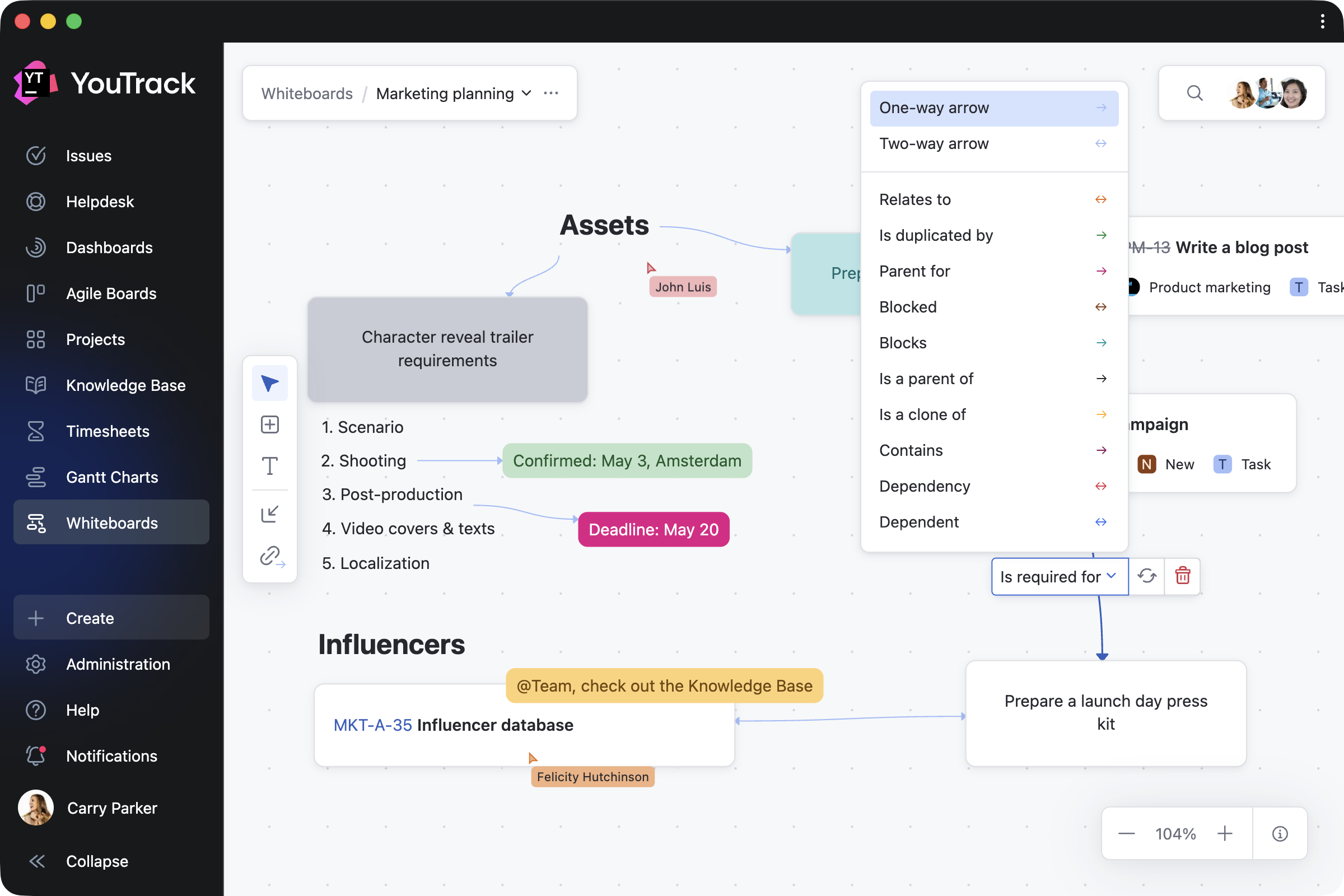
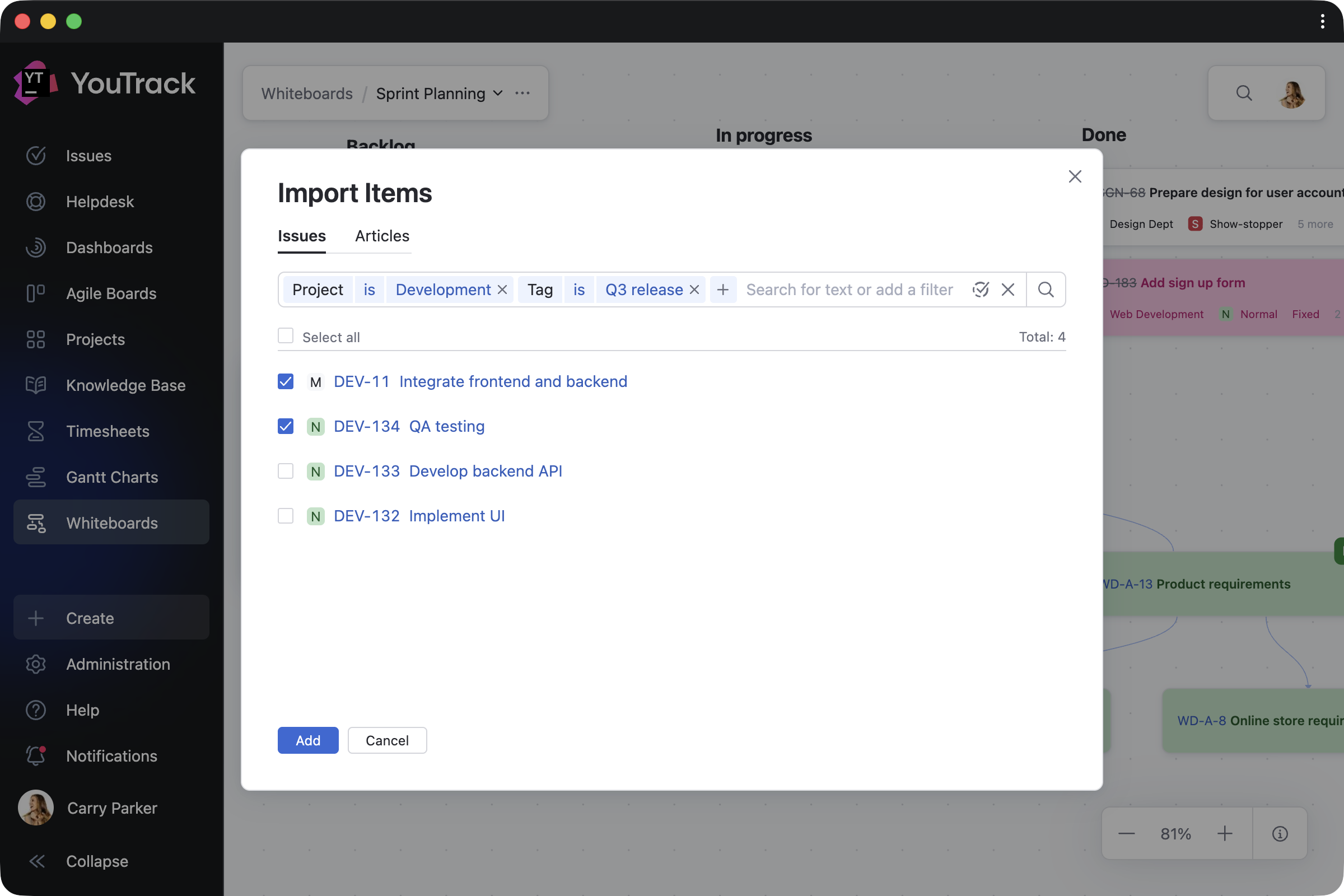
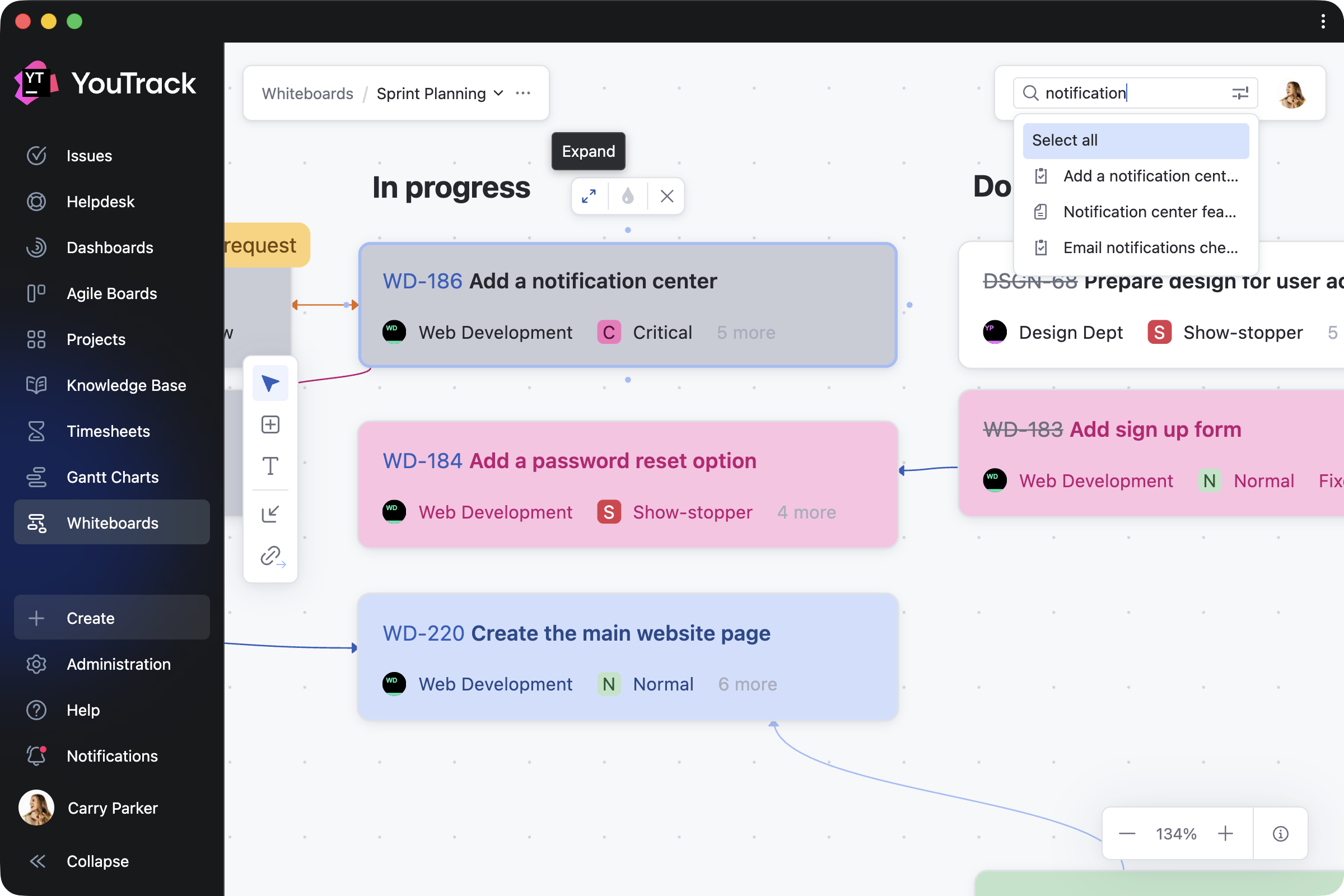
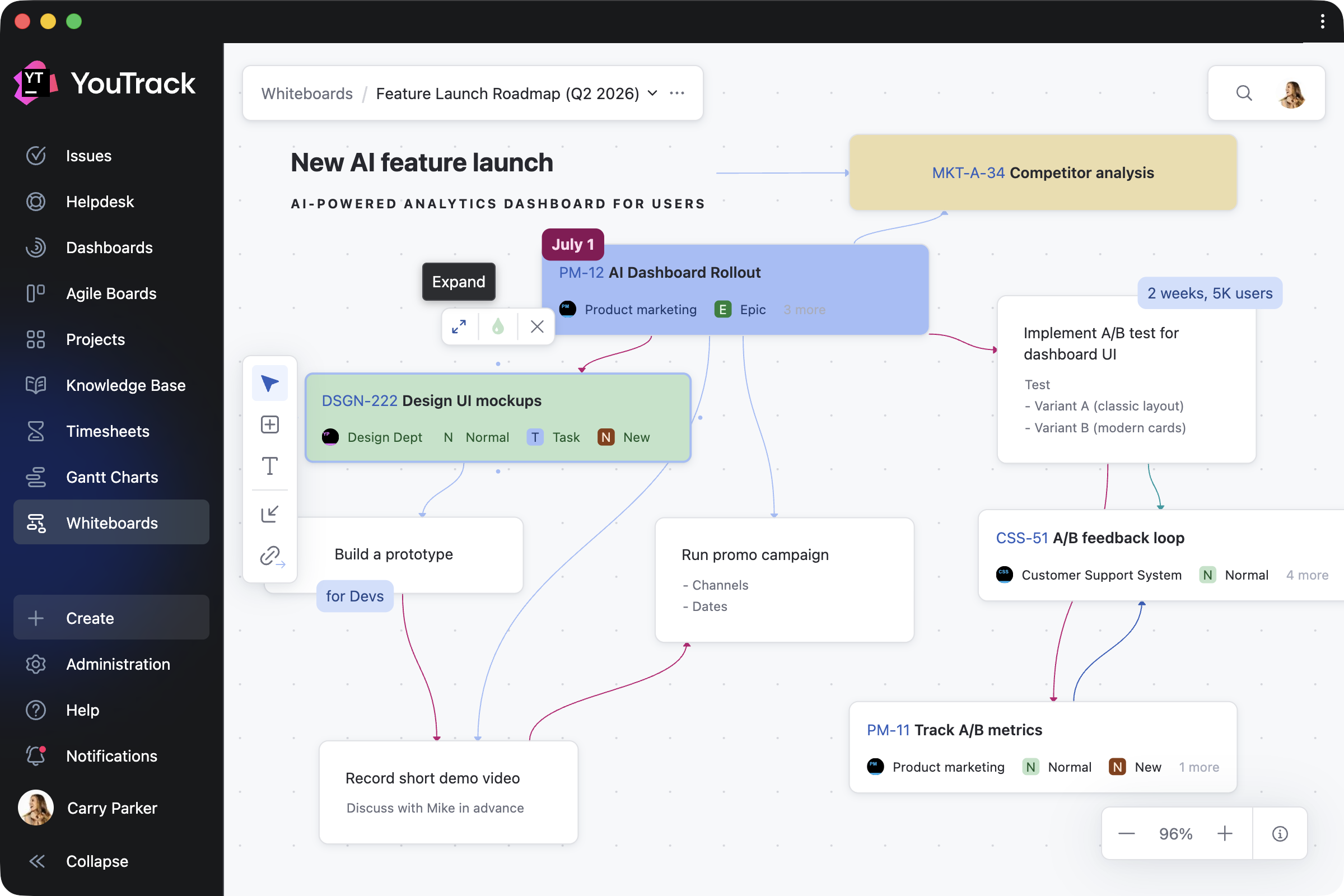
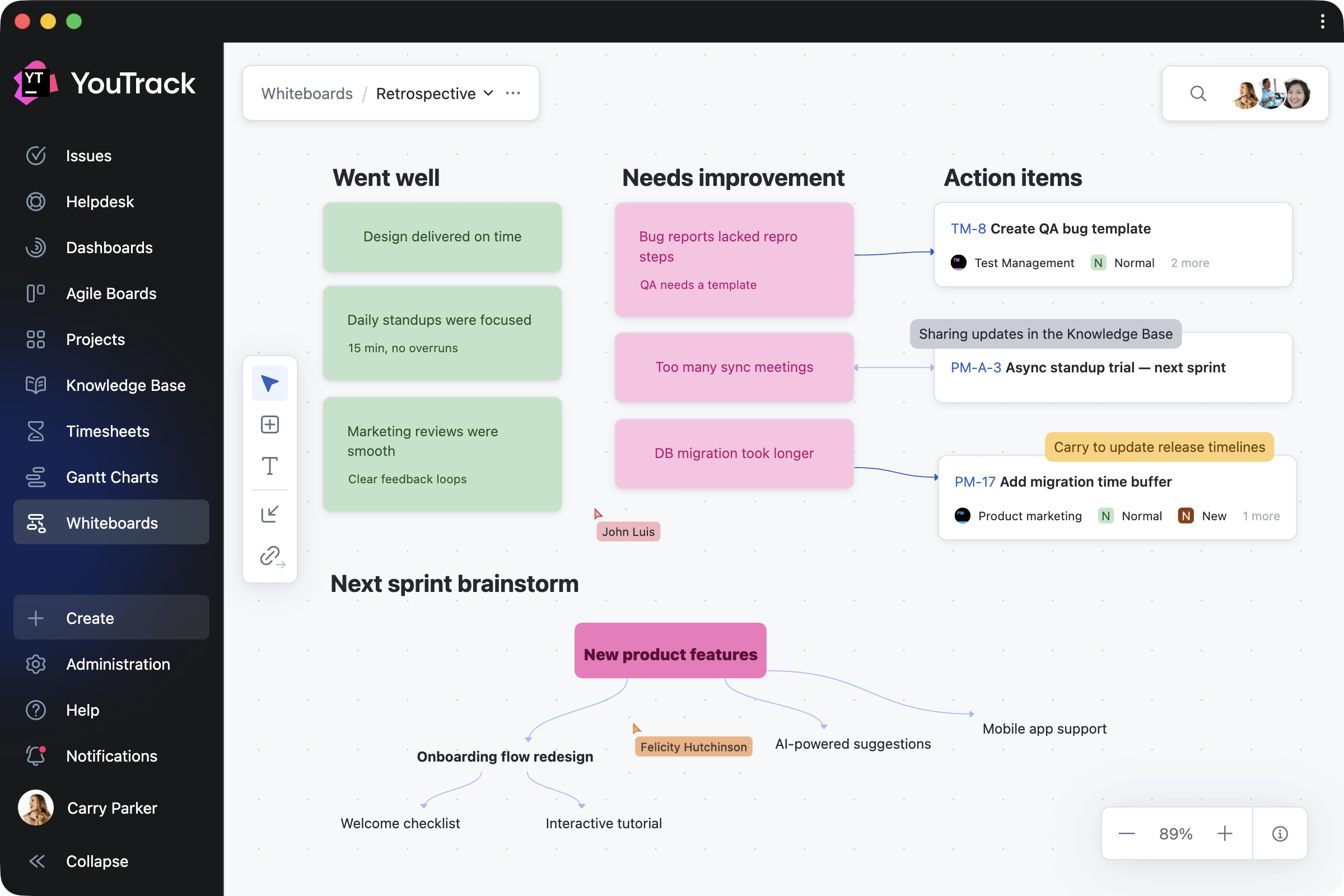
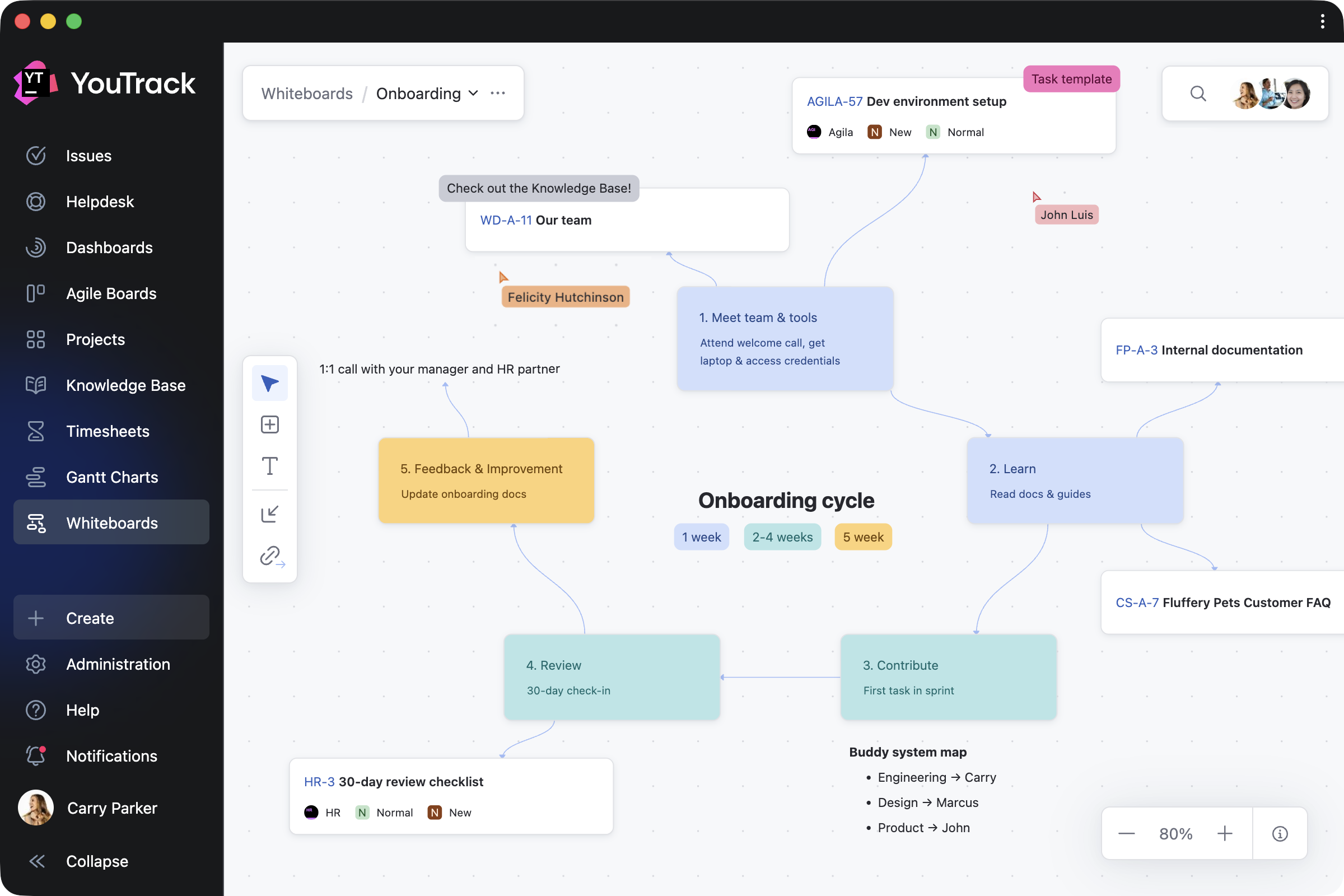
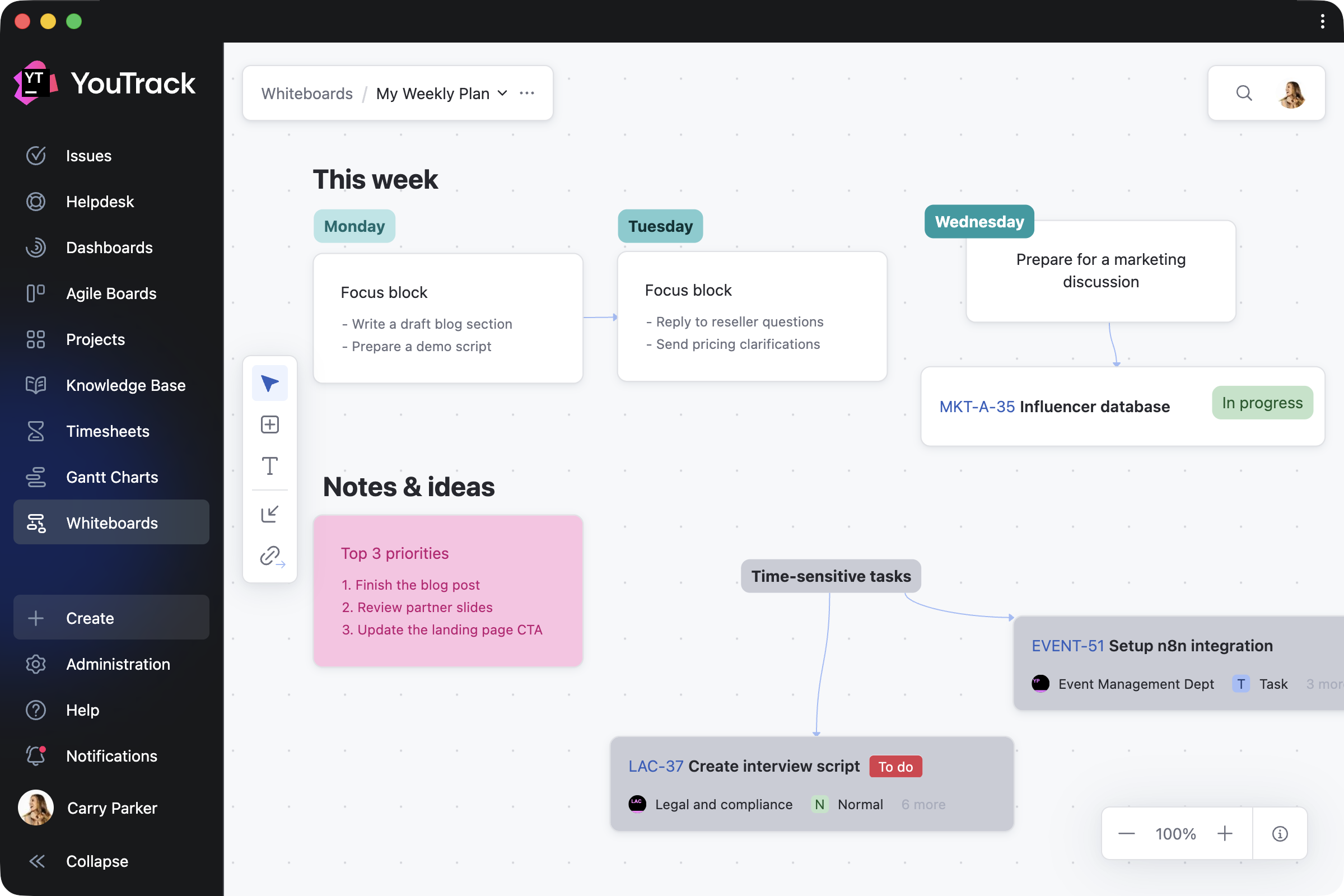
We’re working on introducing a planning canvas to make project planning more visual and collaborative. This feature will allow teams to start working using a whiteboard-style interface where ideas can be drafted and transformed into actionable tasks with just a few clicks. Teams will also be able to move existing tasks to the canvas for better visualization and interactive adjustments.

Customized naming for tasks

Would you like to call your tasks something other than “issues”? You may want to call them “documents” for legal projects, “purchase orders” for finance ones, or “jobs” or “employees” for HR and recruitment workflows. We’re continuing to work on a feature that will give you the flexibility to tailor the naming and structure of your entries when starting a specific project.

More apps for your teams

YouTrack apps already allow you to add significant functionality, including entire new pages. For example, the Diagram Editor app lets teams create and manage visual diagrams directly within YouTrack.

We are committed to further supporting our partners and customers in building apps. If you have an idea for a new app or feature, feel free to contact us – we’d love to collaborate and discuss how we can help.

Extended enterprise features

In relation to YouTrack Server, for our large enterprise customers, we plan to introduce more tools to help you monitor database performance and manage workloads effectively. These updates will help teams ensure stability and optimize resource usage as they scale.

We’ll prioritize Docker images as the primary method for installing and upgrading server instances, with .zip distribution support ending in early 2025. As containerized deployments offering secure and isolated environments become the IT standard, we aim to align with industry best practices by focusing exclusively on containerized solutions. 

For YouTrack Cloud, we’re committed to providing a guaranteed cloud service uptime of 99.99% and confirming this in our terms of service.

We’re also expanding single sign-on (SSO) support to include automated user provisioning and deprovisioning. Okta and Entra ID integration improvements are coming in early in 2025, with additional updates to follow. To further enhance user management for enterprise teams, we’re introducing:

  • SCIM 2.0 protocol support to further enhance user management capabilities.
  • OIDC protocol support to make it possible to sign-in with even more identity providers.

Let’s shape the future of YouTrack together

We’d love to hear from you! Your feedback shapes YouTrack’s future, and we’re always open to ideas, suggestions, and insights. Whether you want to share a feature request, an improvement suggestion, or just your thoughts, get in touch with us by commenting on this blog or using our public project tracker

Thank you for being a part of the YouTrack community. Together, we’re building a more powerful YouTrack for 2025 and beyond.

Your YouTrack team,
Celebrating 15 years with you!

YouTrack Introduces a New Design

$
0
0

The YouTrack 2025.1 release introduces a bold new design that helps you navigate your projects and tasks more quickly. This new look and feel reflects years of learning about how teams work on projects.

The new design introduces:

  • A new navigation panel on the left-hand side that makes all the key sections of YouTrack more accessible. It also reduces clicks, making your work faster, and it leaves more space for you to add even more pages in YouTrack with apps. 
  • A redesigned Issues page that gives you more ways to organize your issue views. Work within the familiar task-browsing experience or quickly switch between different views to add or hide details.
  • A project hierarchy path for tasks, tickets, and articles so you can always remain in a project’s context. It gives you a new hierarchical and clickable way through the context of the project you’re working on.

Every day, hundreds of thousands of teams count on YouTrack to drive their business forward. We understand that even the smallest change can have a big impact on your daily routines, which is why we’ve put immense care into ensuring every change is worthwhile and keeps your tasks flowing. 

Whether you’re managing a single task, a complex project, or hundreds of projects simultaneously, the new YouTrack experience is designed to make your work not just easier but also smarter. Providing instant access to an ever-growing suite of tools, YouTrack helps you focus on what truly matters to you and your team.

We hope the revamped YouTrack brings a new level of productivity. Now, let’s explore the new design.

New navigation to streamline your work

Access key YouTrack features from the left-hand panel

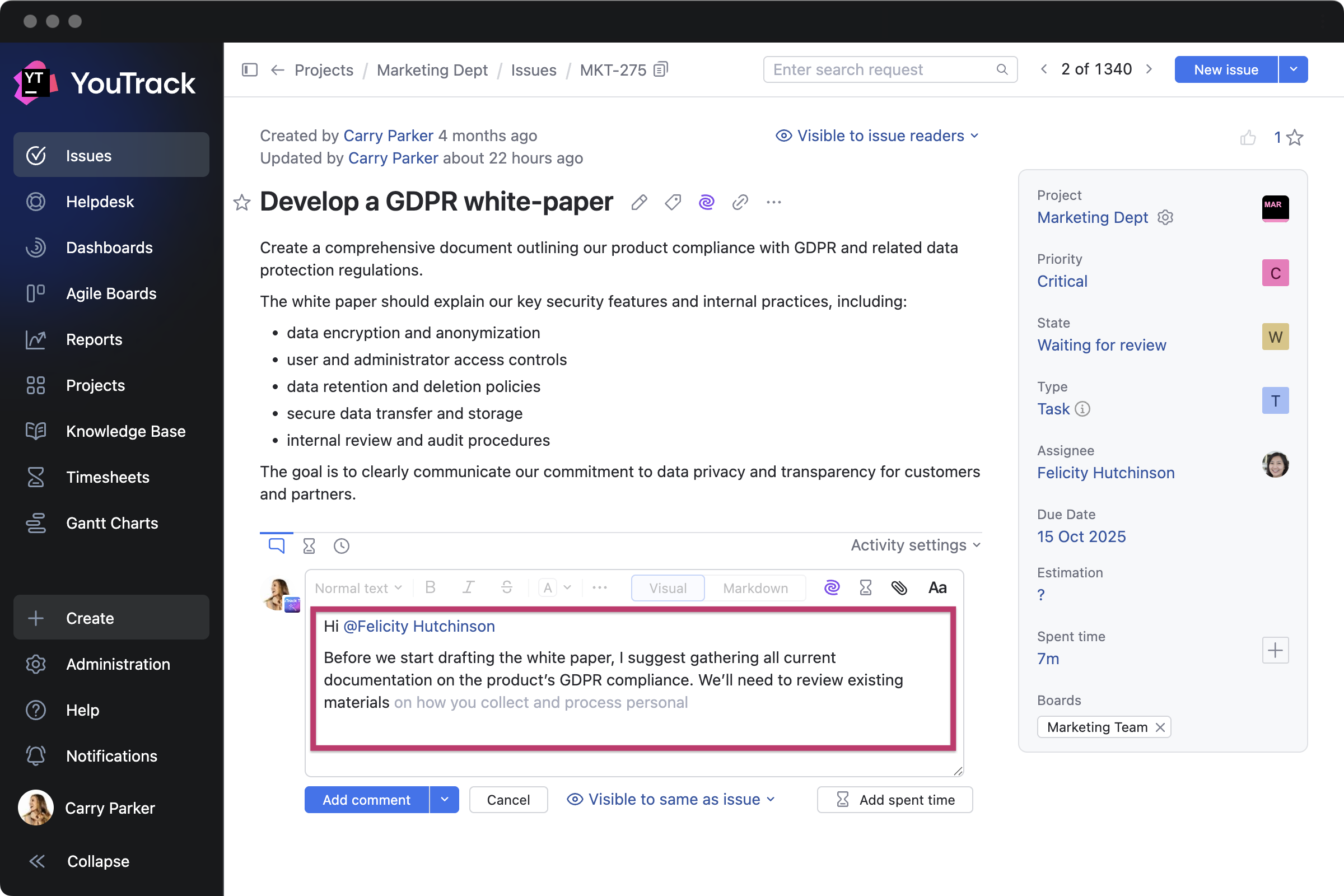
Everything you used to find in the YouTrack main menu at the top of the page – from Issues to Gantt Charts – has moved to a new menu panel on the left-hand side of the screen. Creating new issues, articles, and even projects is now much faster – with the relevant buttons always available on the panel. The settings and notification center are now also easily accessible here, as well.

We tested and refined this approach based on feedback from thousands of new design adopters, and we believe that this update benefits both experienced and new users. Those who are used to working with YouTrack will have more options available, helping them work faster with fewer clicks, and those who are just starting with YouTrack will enjoy smoother onboarding with a more intuitive experience.

Keep everything you need in view or focus on your work

The new design helps you find what you need faster in the way that suits you best. The menu is expanded by default, giving you immediate access to a range of functionality. But a dedicated button allows you to collapse it whenever you want more room to focus on the task at hand. 

YouTrack apps expand functionality, including by adding entirely new pages, and the new left-hand panel provides more room for you to put the new functionality on the main menu. For example, the Diagram Editor app helps you visualize your processes. When you enable the app, a new Diagrams menu section will be added to the panel.

Add your company logo

YouTrack’s new design still has a space for your company logo in YouTrack instances with paid subscriptions. The custom logo is now available in two formats – a larger one when the panel is expanded and a smaller one when the panel is collapsed. Administrators need to add the two formats of company logos in the system settings.

Start with the new YouTrack right away

The new navigation panel is enabled by default for all YouTrack users. While everyone can temporarily switch between the new left-hand panel scheme and the old top menu scheme in the Workspace settings, we recommend adopting the new interface. We hope it will become the standard starting from version 2025.2, without the option to switch back to the legacy menu. 

You can learn more about all changes in the YouTrack documentation.

Redesigned Issues page experience

Organize your issue views

A new approach to issue views provides more options when you need them.

First, when your YouTrack is updated to the new version, you will still be working with whichever issue view you are used to. If you use YouTrack Classic, with issues presented in a list view with or without the tree-like structure enabled, this will be your default mode after the update. If you are a YouTrack Lite user, with issues displayed in a table view of tasks with columns, you’ll have this enabled in the new YouTrack version.

The unified approach to issue views allows you to easily change the way your tasks are presented. Settings are available for you to switch between list or table views, enable the tree-like structure, and add or hide task details. You can also choose to preview tasks directly on the Issues page, allowing you to quickly browse their contents or edit details.

Focus on the work at hand

The Issues sidebar has also been redesigned to help you focus on the work at hand. Your projects, saved searches, and tags are now only a click away. You are able to customize the Issues sidebar’s content and expand or collapse it so you can focus on what’s important. It’s now easier to rearrange the order of your sidebar projects, saved searches, and tags – just drag and drop them.

The sidebar can be used to start your search requests. For example, you can add a list of projects in which you regularly view tasks and use the project list to browse tasks for those projects faster. Alternatively, you can type your search request first and then use the sidebar to add the project, saved search, or tag.

Once you’ve configured an issue view, you can drag and drop tasks to rearrange them in any order. You can also filter the tasks, customize the order in which results are presented, and save this view as a saved search to come back to it later or share it with your team so you all have access to the same custom order.

Starting from the 2025.1 version, the new approach to issue views will be the unified experience for all YouTrack users.

Project hierarchy path for tasks, tickets, and articles

YouTrack now helps you remain in the context of the project you’re working with. Hierarchical, clickable paths for tasks, tickets, and articles allow you to navigate through related project information effortlessly. You can easily access it from the top of each page. For those who prefer to navigate to tasks and articles from the Projects page, we also added this navigation option to the project sidebar.

Tasks and tickets

Access information in a new streamlined way without switching between several menu sections. From a single task or ticket, you can now navigate to all tasks within a project, a project page, and a list of all projects. The issue or ticket ID can be found and copied with a single click at the top of the page.

It’s also possible to navigate to tasks and tickets within the selected project starting from the Issues or Helpdesk pages. You can now view a list of all projects and select the required one at the top of the page to navigate to its context.

Articles

The project hierarchy path for articles provides even more details you can use to navigate. You can go from a sub-article to the parent article, from a project-related Knowledge Base to its project, and from a single project to a list of all projects.

Breadcrumbs were also added to other parts of YouTrack to help you manage your work more intuitively. For example, you can view a list of all accessible dashboards on the Dashboards page by navigating to the hierarchy path at the top of the page. The same experience is available for the Agile Boards, Reports, and Gantt Charts pages.

Improved search experience

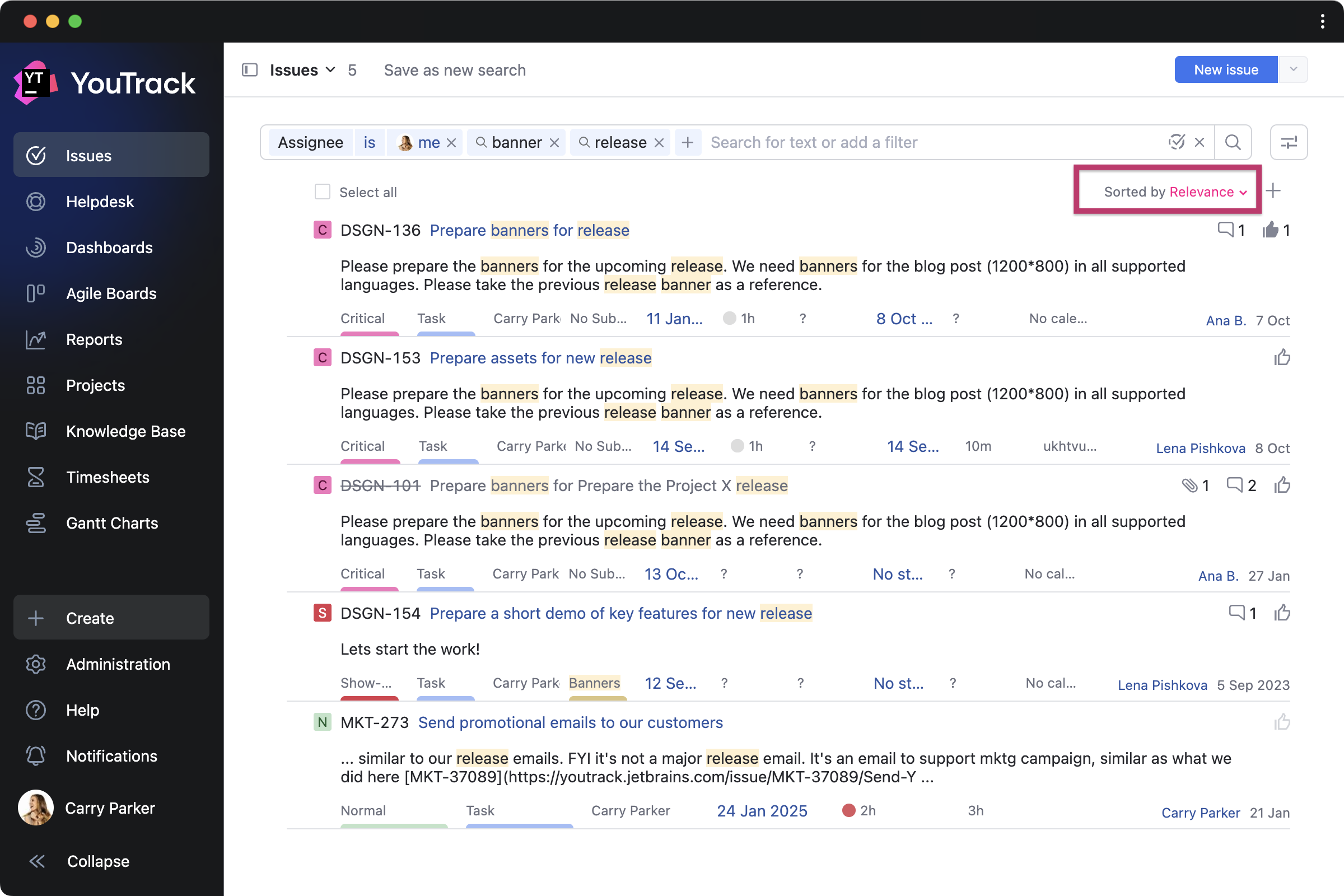
When searching, you can switch between filter and query modes at any time. In filter mode, you can easily search for text or use the enhanced dynamic filters that suggest possible details to search for as you type. You can search within tasks created in all your projects or within specific projects, with the next suggested filters automatically customized to the project’s context.

You can also combine multiple filters in a single search request. After selecting a filter, just refine its value, for example, specifying the State filter as Fixed. A dynamic list of possible values is also suggested. You can add as many values as you want. For date or time filters, such as Created or Resolved at, you can select either a specific value or a range.

Query mode is still available for those who are used to typing complex search requests. This mode also supports dynamic search suggestions and gives more flexibility when managing large lists of tasks. For example, you can add has: -boards to your query search request to find tasks that do not belong to any board.

Other changes

YouTrack Helpdesk improvements

Add up to 10 reporters in the ticket CC

In helpdesk projects, reporters, along with agents, can now add up to 10 reporters to a ticket’s CCs field, ensuring they stay informed about request updates. The number of agents and other internal team members that the support team can add remains unlimited. However, reporters will see only other added reporters and agents in the CCs field.

Filtering by ticket state for reporters

Additionally, reporters can now search for their submitted tickets on the Tickets page using the State filter. This improvement enables reporters to easily view a list of all their open or closed tickets. They can also combine multiple filters in their searches, for example, to find tickets with a specific state that were submitted within a select timeframe.

User management enhancements

Our upgraded authentication modules let you import groups and user accounts from Okta and Microsoft Entra ID to YouTrack and keep them in sync.

New build server integration

YouTrack has expanded its integration support for developer tools to include GitHub Actions. The build number and link will be added automatically to your issue fields.

Discontinuation of .zip distribution support for YouTrack Server

We have discontinued YouTrack Server’s .zip distribution support. The installation and upgrade of server instances will be available via Docker image. As containerized deployments offering secure and isolated environments become the IT standard, we aim to align with industry best practices by focusing exclusively on containerized solutions.

Administrators who installed YouTrack Server using the .zip archive can reference the documentation to migrate to Docker images when upgrading their instance to the 2025.1 version.

Let’s shape the future of YouTrack together

We’re excited for you to get your hands on the new YouTrack, and we can’t wait to hear your thoughts. Please feel free to share them here in the comments and don’t hesitate to contact our Support team if you have any questions. We’re always here to help!

Meanwhile, we’re already working on enhancing the new design to help you focus on the project at hand. Revamped project pages that help teams stay connected to their work context and advanced project-centric navigation are already included in YouTrack’s 2025 roadmap

Onboarding for new team members will also be improved to guide them more easily through YouTrack’s features and help them be productive from day one.


Check out the release notes for the full technical details and a comprehensive list of this release’s bug fixes and improvements. For details on configuring the latest features, see the documentation.

If you use YouTrack Cloud, you’ll automatically be upgraded to YouTrack 2025.1 in accordance with our Maintenance Calendar.

If you have an active YouTrack Server subscription, you can upgrade to YouTrack 2025.1 today.

If you don’t have active YouTrack subscription, you can use the free YouTrack for up to 10 users to test out the new version before you commit to buying!

For more information about the licensing options available for YouTrack, please visit our Buy page.

Your YouTrack team

New YouTrack Prices Starting from October 2025

$
0
0

We’re introducing a few changes to YouTrack prices, which will take effect on October 1, 2025. 

What’s not changing

  • YouTrack remains free for teams of up to 10 users. 
  • Helpdesk projects remain free for teams of up to 3 agents with unlimited reporters. 
  • The full feature set, support, and AI Assistance continue to be included at no additional cost with the YouTrack subscriptions. 

What will be changing

  • All active upgrade and support subscriptions will continue to work until the expiration date. 
  • You can renew your subscription at the current pricing, but only until October 1, 2025. 
  • After October 1, any renewal or addition of users/agents will be at the new prices. 

Read on to learn about the reasons for this change, how to prepare, and what it means for YouTrack Cloud and Server customers.

Why are we making this change?

Our current pricing has remained unchanged since 2020. In fact, many long-time customers have been using YouTrack under legacy pricing introduced more than a decade ago, with full access to all features.

Since then, we’ve added significant value – Knowledge Base, Helpdesk functionality, AI Assistance, apps, and much more. The new prices reflect these enhancements and our continued investment in YouTrack.

We’re grateful to the teams that have chosen YouTrack over the years. This update will help us continue to improve YouTrack Cloud and Server for small teams and large enterprises alike.

How to prepare 

Here’s what license administrators need to know to plan ahead:

  • Your existing Cloud or Server subscription will work at the current price until its expiration date. No immediate action is required on your side. 
  • However, you can renew early at the current pricing. This is only possible one last time until October 1, 2025.
  • After that date, all renewals and user/agent additions will be at the new prices.

Below are details depending on your subscription type.

Updates for YouTrack Cloud Customers

YouTrack Cloud per-user subscriptions

If you started using YouTrack Cloud in 2020 or later, you most likely have a per-user subscription. Here’s what the price change means for your team.

YouTrack will continue to be free for teams of up to 10 users – no changes here. 

If your team has more than 10 users, subscription prices will be adjusted starting October 1, 2025. For monthly plans, the new pricing starts at USD 5.40 per user per month. If you prefer an annual subscription, you’ll get two months free – the new starting price will be USD 4.50 per user per month. The larger your team, the lower your price, thanks to discount increasing as you add users. You can explore updated pricing examples in our FAQ.

Helpdesk functionality remains fully included with your subscription. It stays free for teams with up to 3 support agents and unlimited reporters. For teams with 4 or more agents, new pricing will apply: USD 6 per agent per month with a monthly plan, or USD 5.50 per agent per month with an annual plan.

All features – including AI Assistance and support – continue to be part of the subscription at no extra cost. We’re also keeping all our discounts for startups, non-profits, educational institutions, and open-source projects.

YouTrack Cloud legacy user-pack subscriptions

If you’ve been using YouTrack Cloud since before 2020 and haven’t switched to the per-user billing model, you may still be on a legacy plan with user packs. 

These subscriptions will continue to work as usual until their expiration date, even after October 1, 2025. There’s no immediate action required on your side.

However, this will be the last opportunity to renew under your current pricing. If you’d like to extend your subscription one more time on legacy terms, you can do so only until October 1, 2025. After that, renewals will require switching to the new per-user pricing.

To make this transition easier, we’re offering three extra months free when you switch to an annual per-user subscription. 

This plan gives you access to more flexibility and features than legacy plans could offer:

  • You’ll be able to add or remove users as needed – no fixed-size user packs.
  • You’ll also get more cloud storage – 3 GB per user.
  • You gain access to Helpdesk projects, starting with 3 agents free and unlimited reporters.

The new per-user pricing will take effect on October 1, 2025. After that date, monthly plans will start at USD 5.40 per user, and annual plans at USD 4.50 per user, with increasing discounts as your team grows. You can check our FAQ for examples to estimate your cost.

As always, the full set of features, support, and AI assistance are included at no extra charge. Discounts for startups, educational and non-profit organizations, and open-source projects will remain available.

Updates for YouTrack Server customers 

If you’re using YouTrack Server, here’s what will and won’t change starting October 1, 2025.

What’s not changing

YouTrack Server will remain free for teams of up to 10 users – no changes there. 

If you’ve purchased a license, you still own it: all existing YouTrack Server licenses are perpetual and will continue to work. Your current upgrade and support subscription will also remain valid until its expiration date.

As always, every active subscription includes the full feature set, support, and AI Assistance at no additional cost. Discounts for startups, non-profit and educational institutions, and open-source projects remain unchanged.

What will be changing

You can still extend your subscription at the current pricing, but only until October 1, 2025. After that, all renewals and the addition of new users or agents will be available only at the new prices.

We’ll continue to offer flexible user pack options, starting from 15 users and scaling up through 25, 50, 100, 250, 500, 750, 1,000, 1,500, 2,000, and more. After October 1, 2025, these will be offered only at the new pricing.

If your team is larger than 2,000, feel free to reach out to the YouTrack team to get a custom quote.

Renew and save 50%

If your support subscription is still active – or expired less than 12 months ago – you can renew it at 50% of the new license price. We’ll continue offering this renewal discount going forward.

If more than a year has passed since the expiration of your subscription, the discount no longer applies, but you can still purchase a new license and continue using YouTrack Server with all your data intact.

Helpdesk prices

Helpdesk projects remain free for 3 agents and unlimited reporters. 

Starting October 1, 2025, for teams with 4 or more agents, the price will be USD 72 per agent per year.

Need help?

We are always here to support you. If you have any questions or need help estimating prices and preparing for the change, please don’t hesitate to reach out to the YouTrack team.

Your YouTrack team

YouTrack Adds More Design Improvements

$
0
0

The new YouTrack 2025.2 release brings further design updates to make working on your projects easier. You also get a shared default dashboard and a growing set of useful apps. Here’s what’s new:

  • Project overview pages have been redesigned to increase clarity, with clickable hierarchy paths to help you move between project contexts.
  • New project templates improved the project creation wizard for general task management needs, advanced project management, and marketing.
  • A default dashboard for all users and external guests to use as a central hub for your organization.
  • New free apps can be found on JetBrains Marketplace to extend YouTrack’s functionality in various ways.

Redesigned project page for all users

Navigate to project information in one place

Project overview pages now offer an advanced project-centric navigation, with all project information closer to the main YouTrack menu. Using the left-hand sidebar, you can access issues, articles, and boards related to the project. To return to the overview or switch to other project content, you can use the new project icon, which provides quick access to the sidebar.

Additionally, you can now create new tasks and articles directly within the selected project from the project overview page.

Switch between multiple projects

When you are working within one project context but need to switch to another, you can now do so quickly from the project overview pages. A project drop-down list has been added to the clickable hierarchy paths, so you no longer need to return to the project list.

Improved project configuration for administrators

Create projects using new project templates

The improved project creation wizard helps project administrators create projects more easily and now includes new templates tailored to specific team needs, in addition to the existing Helpdesk and Scrum or Kanban software development templates.

Template for general task management needs

The Task Management template is ideal if you need a simplified way to track tasks. It enables any team to manage tasks by priority, state, assignee, and due date. You can work with the default setup, moving tasks between To do, In Progress, and Done states, or customize the project configuration to suit your work.

Template for advanced project management

​​For tracking various work types and managing more complex task states, the Project Management template can be selected. The default setup helps classify tasks by general types, such as Milestone, Task, or Subtask, which can be easily adjusted by project administrators. This template also comes pre-configured for time tracking, allowing users to log time spent and add estimations.

Template for launching marketing activities

The new Marketing template is a starting point for setting up a project to track activities across various marketing functions. It allows marketers to classify their work, whether it’s a campaign, content creation, paid advertising, or something else. 

Next, they can fill in the task with additional details such as activity focus, channel, budget, performance metrics, etc. Many of these fields come with pre-filled values adjusted to marketing processes. For example, in the Focus field, users can select a goal ranging from Product Launch to Customer Retention, or add other custom values. If your Marketing team has their own unique processes, the template can be easily changed to suit them; for example, you can adjust it for use by the Digital Marketing team only.

Manage project settings more intuitively

Project administrators can now manage project settings directly from the left-hand sidebar on the project overview pages. We’ve also made minor updates to the settings structure to make it more intuitive. You can now find the General Info settings in the page header for easier access.

Configure conditions for field values

In addition to conditional fields, administrators can now specify which values are displayed for a given field based on previously submitted task information. For example, let’s say a user selects Germany in the Country field when creating a task to organize a trip. You can configure the Location field to display only options in Germany. If USA is selected instead, only USA-based offices will appear, and so on. You can define conditions for multiple values of a single field, allowing for a more tailored task creation process.

YouTrack’s new design becomes standard

We hope the new YouTrack look has become more familiar and comfortable for you over time. As it is now the standard interface, we will continue to improve it going forward. Please note that the option to switch back to the legacy menu is no longer available.

New functionality for dashboards

Display information for all users on the default dashboard

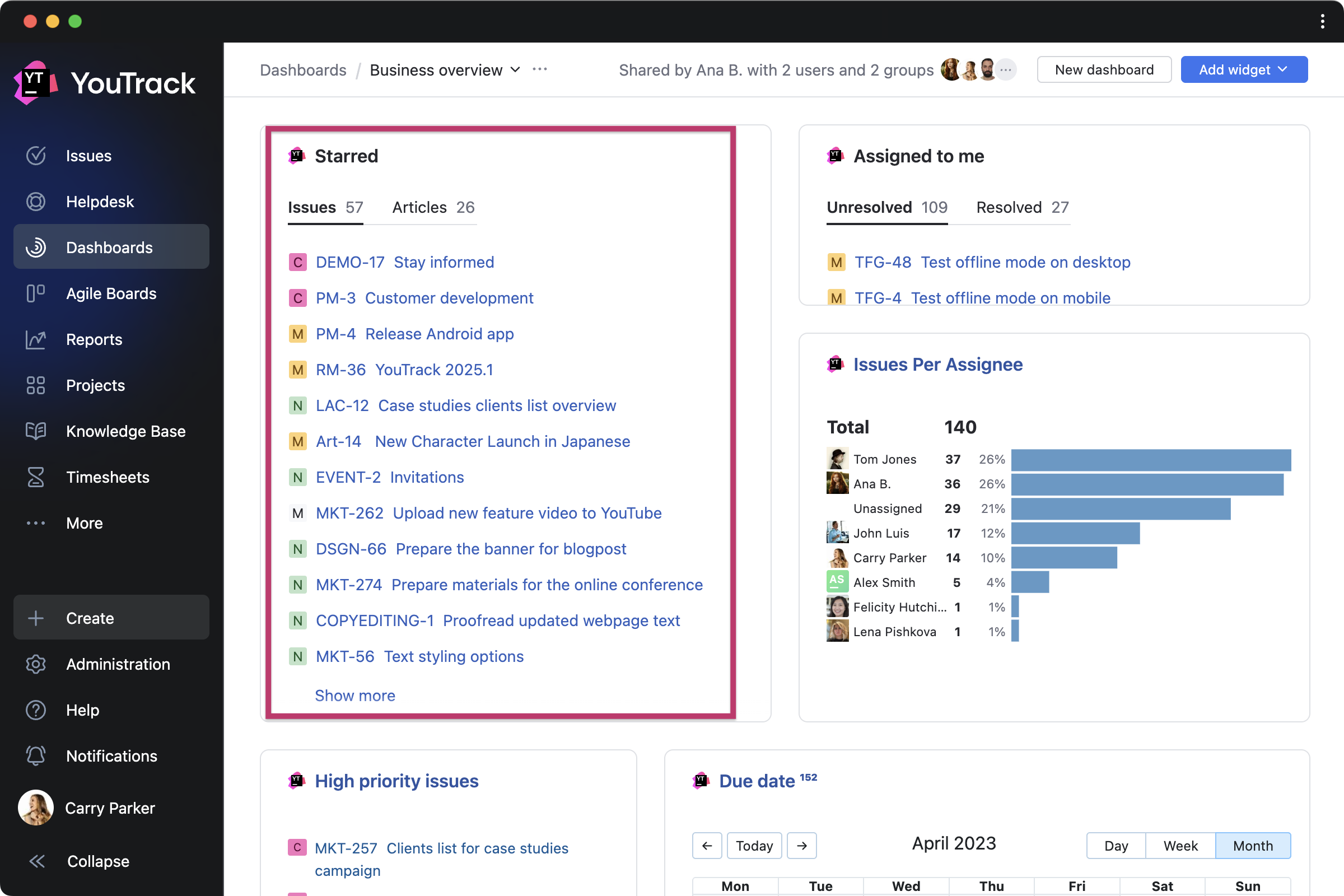
Every YouTrack now includes a single default dashboard that is visible to all users in your organization (as well as external guests, provided that administrators have made YouTrack accessible to them in the settings). You can use the default dashboard as a central hub for your organization, displaying notes, reports, and other useful information on one page. Only global administrators have permission to edit the default dashboard, including renaming it or adding widgets. 

Clone dashboards and articles

Creating new dashboards and articles in YouTrack just got faster. Administrators (and users with access to the dashboard) can now clone an existing dashboard and tailor it to fit their personal, team, or customer needs. We’ve also added a Clone Article workflow that you can either attach to your projects as-is or customize as needed. For example, you can add a custom action that clones articles into a predefined project. Articles will be cloned automatically as drafts first and can be published anytime.

New apps on JetBrains Marketplace 

The collection of free apps from our certified consulting partners and third-party providers is growing! Check out the new apps below. 

Apps that expand your work on projects 

Issue Dependencies by Marcus Christensson for visualizing complex projects with graphs by displaying hierarchical dependencies of issue links.

Better Backlog by Adeptask simplifies development processes by helping to manage multiple sprints in one place. 

Embedded Sites by J&J Ideenschmiede for embedding iframe-based websites as dashboard widgets or within Markdown content.

Apps for those who track time 

Worklog Controller by MSP helps you easily move logged time from one task to another and classify whether this time is billable or not.

Time Tracker by SWNetwork adds a timer to tasks, allowing you to flexibly track and log the time you spend on your work.

Apps to make your work with specific tasks easier

Issue Reminder by twenty20 sends email reminders for one-time alerts or recurring task actions for yourself and selected teams.

Custom Printout by twenty20 for customizing and sharing task content by printing or exporting it as a PDF file.

Apps for better work with articles in Knowledge Base

Article Actions by twenty20 helps to copy and move articles along with their sub-articles.

Article Presentations by Adeptask presents article content as automatically formatted slideshows.

Other improvements 

YouTrack Server can now be installed and upgraded via Docker images for both Linux and Windows. We’ve also implemented support for Azure Repos and Azure Pipelines and enhanced the Microsoft Entra ID authentication module and integration with Microsoft Graph. Other enhancements include UI/UX improvements for the Issues page settings, plus further small updates.

Check out the release notes for the full technical details and a comprehensive list of this release’s bug fixes and improvements. For more details on configuring the latest features, see the documentation.

If you use YouTrack Cloud, you’ll automatically be upgraded to YouTrack 2025.2 in accordance with our Maintenance Calendar.

If you have an active YouTrack Server subscription, you can upgrade to YouTrack 2025.2 today.

If you don’t have an active YouTrack subscription, you can use the free YouTrack for up to 10 users to test out the new version before you commit to buying!

For more information about the licensing options available for YouTrack, please visit our Buy page.

Your YouTrack team


YouTrack Introduces a Remote MCP Server and New Apps

$
0
0

The YouTrack 2025.3 release introduces remote MCP (Model Context Protocol) support, which expands the possibilities for those who build integrations with YouTrack. This enables you to securely connect AI-powered tools to YouTrack, allowing your teams to manage their work directly from an LLM, IDE, or agent platform.

In addition, many new apps are now available on JetBrains Marketplace, extending YouTrack’s functionality for planning, release management, and more.

We also added several new AI-powered features to improve the overall user experience. Now enhanced with machine learning, the search functionality is more powerful, and YouTrack’s writing assistance now supports AI-powered text completion, helping you write at lightning speed.

Remote MCP server

You can now connect AI-powered tools to YouTrack using a remote MCP server. This allows you to perform actions throughout your projects without leaving your favorite LLM, IDE, or agent platform. YouTrack’s MCP server can be used in various scenarios. Administrators can connect AI-powered tools used company-wide, while individual users can configure their own connections for personal use. Here are just a few ways YouTrack can be integrated into your AI environment.

Manage tasks through AI chats

For those who like to use AI through chats, the MCP server helps manage YouTrack projects more efficiently via text prompts. You can create or update tasks, log time spent on work, and retrieve information from YouTrack. While users can stay focused on their individual tasks, administrators can take advantage of bulk operations by applying actions to multiple tasks at once. Currently, our predefined actions cover projects, tasks, project teams, and users, and will be enhanced with more tools for articles.

Enhance your agent’s capabilities with YouTrack context

If you use AI agents for specific work scenarios, you can now make them operate with full context awareness. For example, developers can reference an issue assigned to them in YouTrack and direct the Claude Code agent to build a feature using the information described in that task.

Design project-based workflows with agent builders

For teams creating multi-step agent workflows, YouTrack’s MCP server extends those workflows with new capabilities. It enables you to bring context from YouTrack into your AI models and perform actions both inside YouTrack and in connected tools based on YouTrack triggers. Our remote MCP server can easily be integrated with OpenAI AgentKit, n8n, and other tools.

Extend YouTrack’s MCP functionality with custom AI tools

You can also expand the built-in functionality of YouTrack’s MCP server by adding custom actions. These actions are accessible through the built-in JavaScript editor, allowing you to script your own tools using apps and workflows. For app developers, the MCP server makes it possible to create custom AI tool packages tailored to specific team needs and publish them as apps on JetBrains Marketplace. These packages can be sets of custom actions for an agent platform, LLM-powered products, and more.

AI-powered text completion

We continue to enhance your team’s efficiency with services powered by JetBrains AI, available to you for free. YouTrack’s writing assistance now suggests words and phrases as you type, helping you write task descriptions, comments, or whole articles faster than ever before. English and German are currently supported. The feature is context-aware, adapting its suggestions to what you write, with deeper task-specific content suggestions coming soon.

Smarter search

Another AI-powered enhancement brings a more powerful search experience in YouTrack. When searching on the Issues page, you now get more accurate results thanks to machine learning improvements. The most important tasks are listed first, based on attributes such as recency, user interactions, and personal relevance. These improvements cover various scenarios when you search for text, use dynamic filters, or build complex queries.

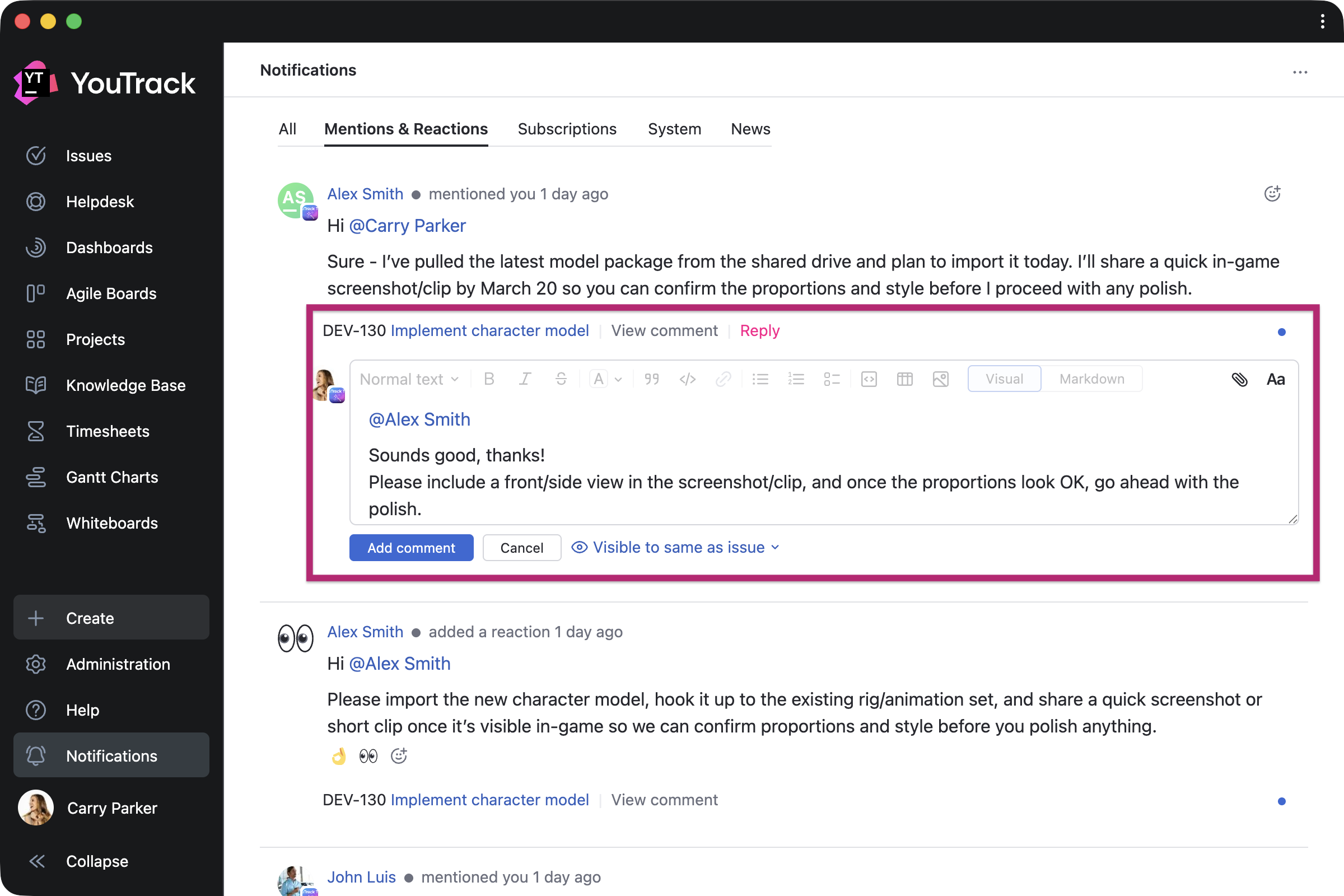
Full-page notification view

We hear your feedback regarding YouTrack’s new design and continue to work on improving it. The Notification Center view can now be expanded into a dedicated page, making it easier to scan messages and stay organized without distractions.

New apps on JetBrains Marketplace 

Even more apps from our certified consulting partners and third-party providers are now available to help enhance your YouTrack experience! Here are a few highlights.

Apps for team collaboration

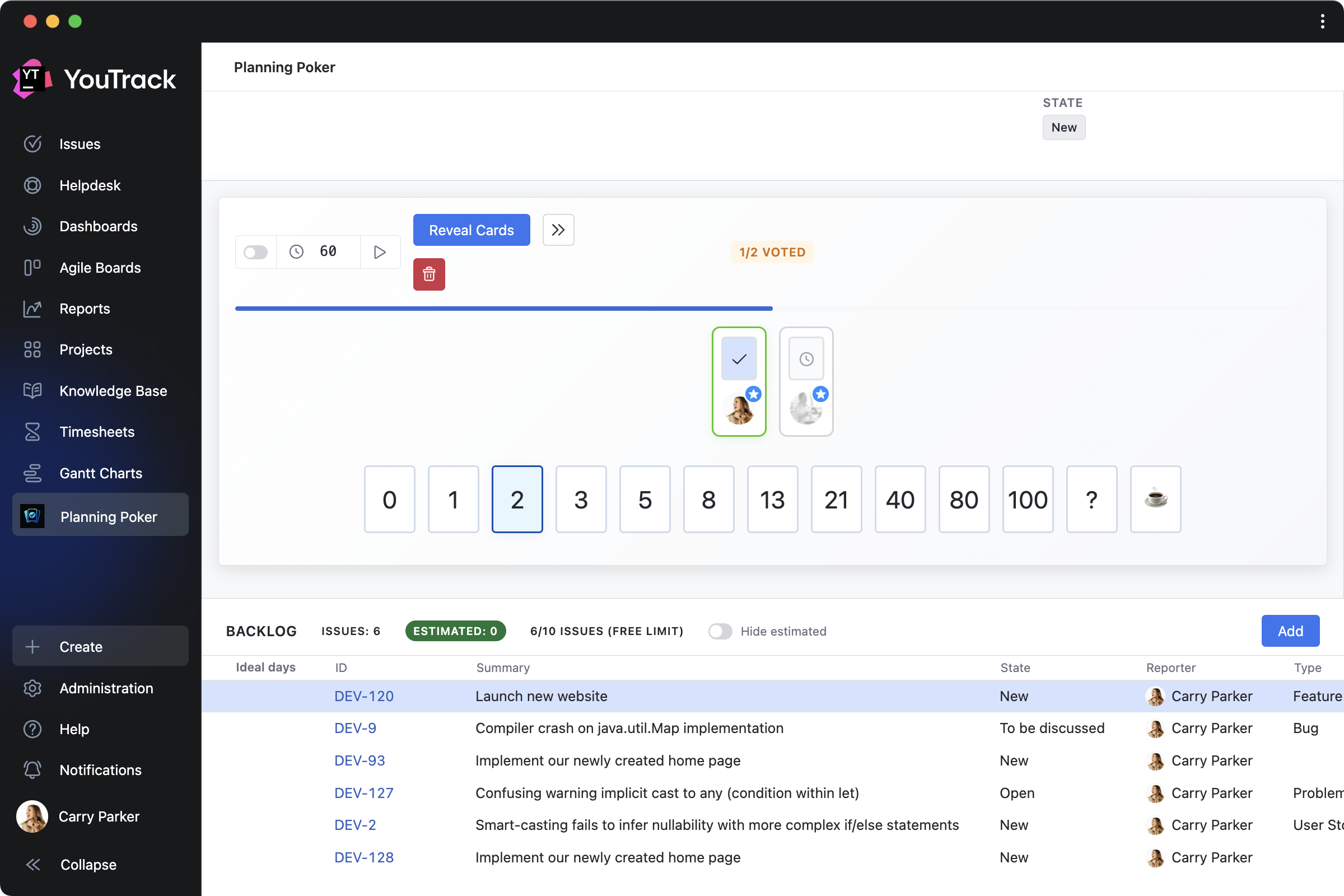
Planning Poker Estimation by Appfero is a collaborative tool that brings agile estimation sessions directly into YouTrack. Teams can create planning sessions, select tasks from their backlog, vote privately using digital poker cards, reveal estimates simultaneously, and then save the agreed-upon value directly to the task field.

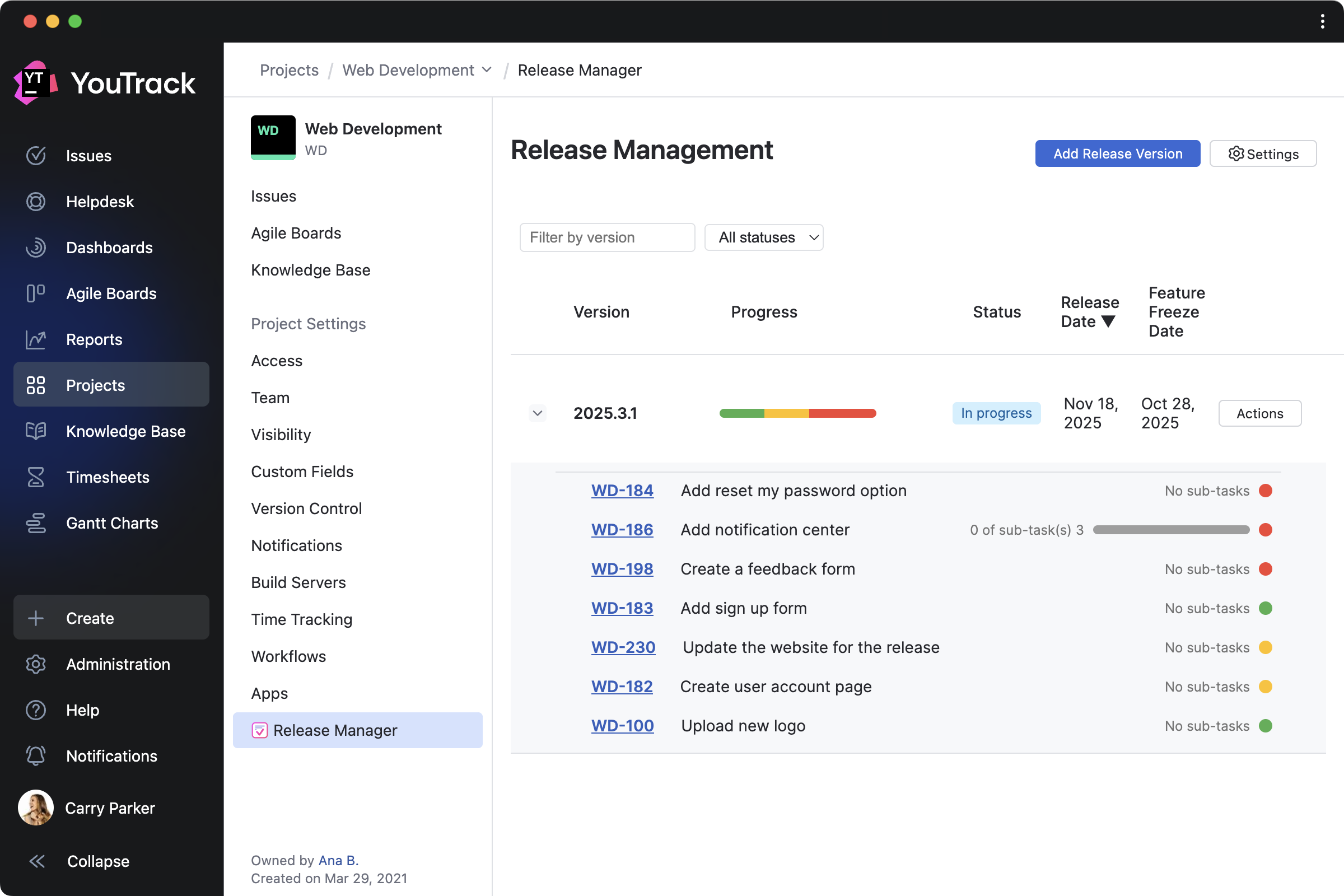
Release Manager by Evgenii Venediktov helps teams plan, track, and communicate about product releases more effectively. It adds tools for managing versions, tracking progress, and automatically generating release notes from the project overview page, providing a central place to monitor release statuses and share updates with your team.

Document List Widget by JetBrains lets you add customized lists of tasks and articles directly to your dashboards and project overview pages to keep key information visible to your team members. You can display and filter information for one or multiple projects, and configure different list views within each widget tab.

Apps that extend task functionality

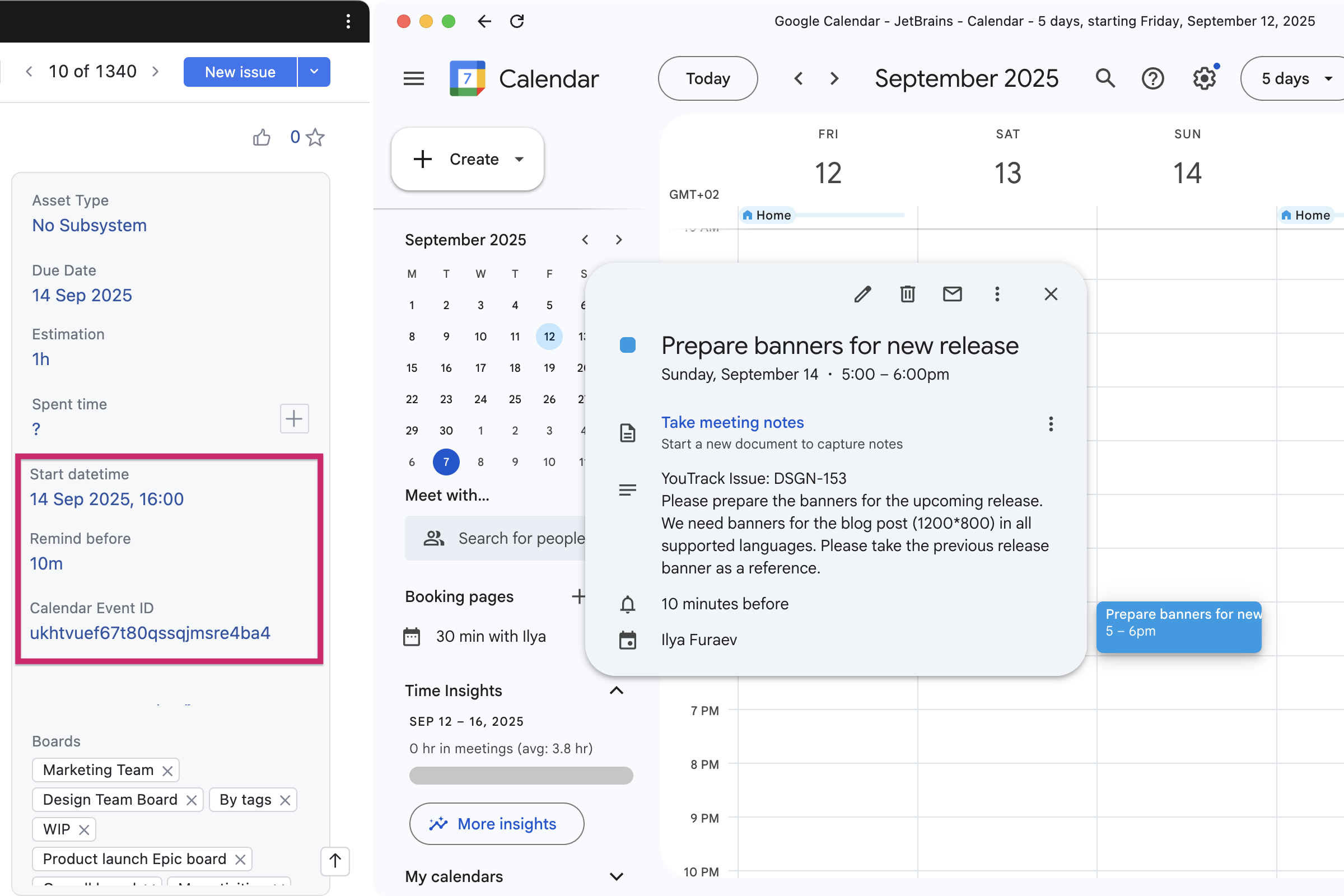
Google Calendar Sync by Dmitry Zotikov enables you to automatically map tasks to calendar events, keeping your tasks and schedule aligned. Each user can connect their own Google Calendar so that tasks assigned to them appear as events with the correct start time, duration, and reminders. The app makes it easier to manage your workload and deadlines directly from your calendar.

Markdown Snippet Widget by Damir Yusipov allows you to add custom Markdown blocks directly to your tasks or articles. You can use it to display content from other tasks, articles, or workflows, enriching your work items with quick references.

Apps for enhancing article content

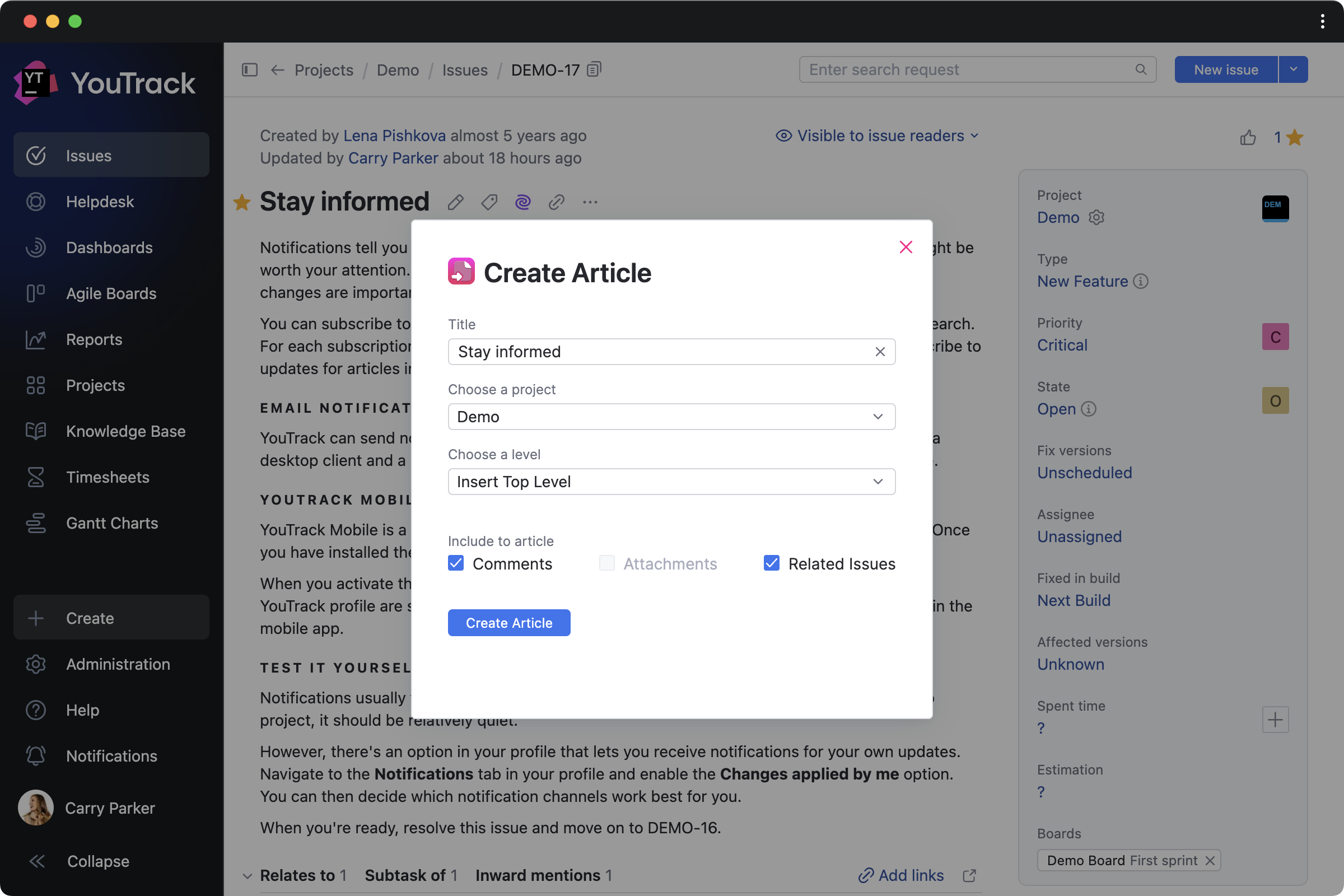
Issue to Article by twenty20 lets you instantly generate a Knowledge Base article draft from task content. This helps teams reuse existing content as documentation, FAQs, or internal guides, ensuring that valuable information is easily accessible in every article.

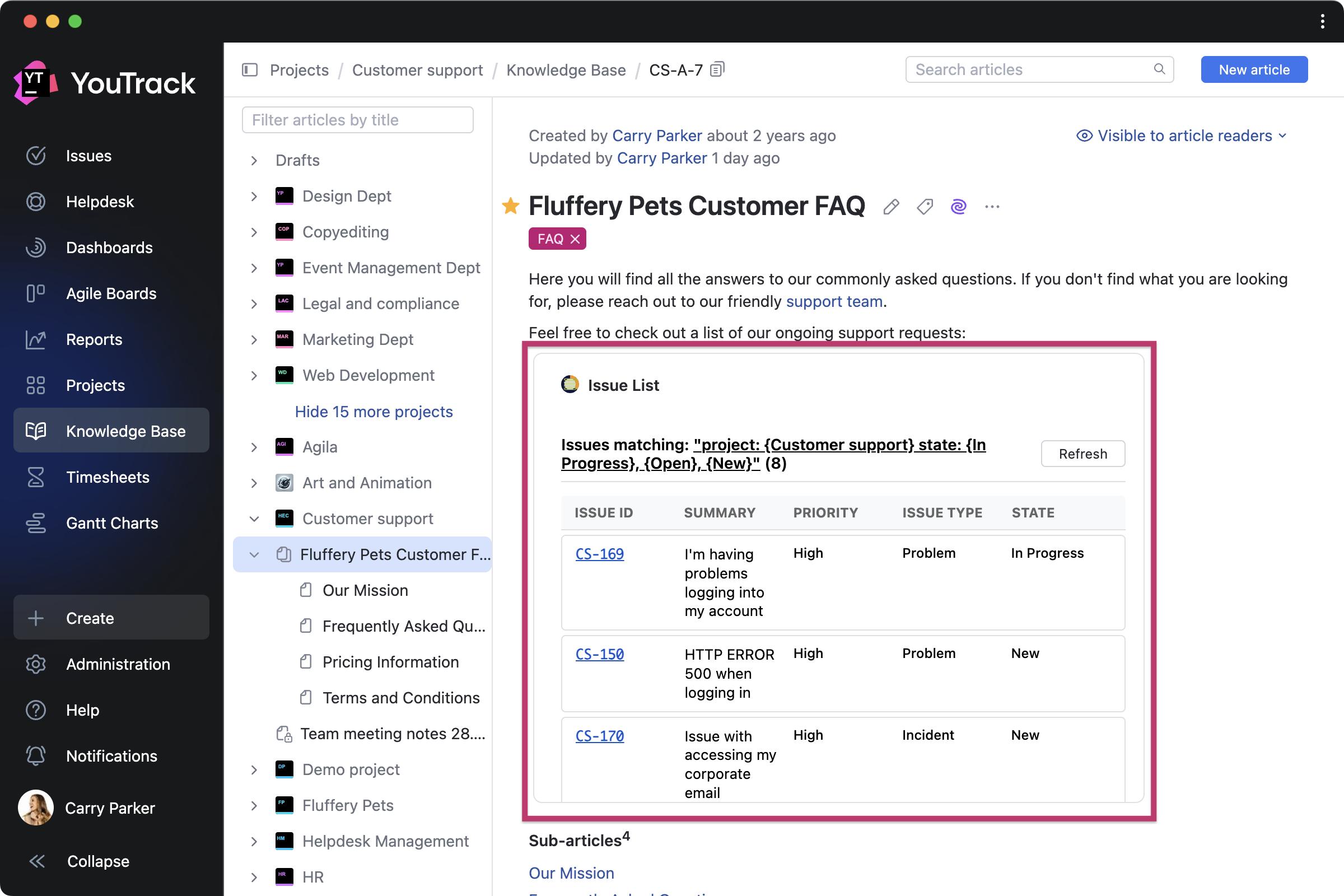
Issue List for Articles by MSP creates articles that always reflect the current state of your backlog or project work. Embed dynamic issue lists inside Knowledge Base articles by configuring a custom query (for example, “project: {Customer support} state: {In Progress}, {Open}, {New}”). The list will display matching tasks directly in the article, updating itself in real time.

Conditions for widget visibility

We’ve added customizable conditions that allow app developers to ensure widgets appear only when relevant. You can now see different widgets depending on whether a task or article is in a draft or published state, or based on the value of a selected issue field, as well as other conditions.

Improvements for administrators

Manage workflow rules in projects

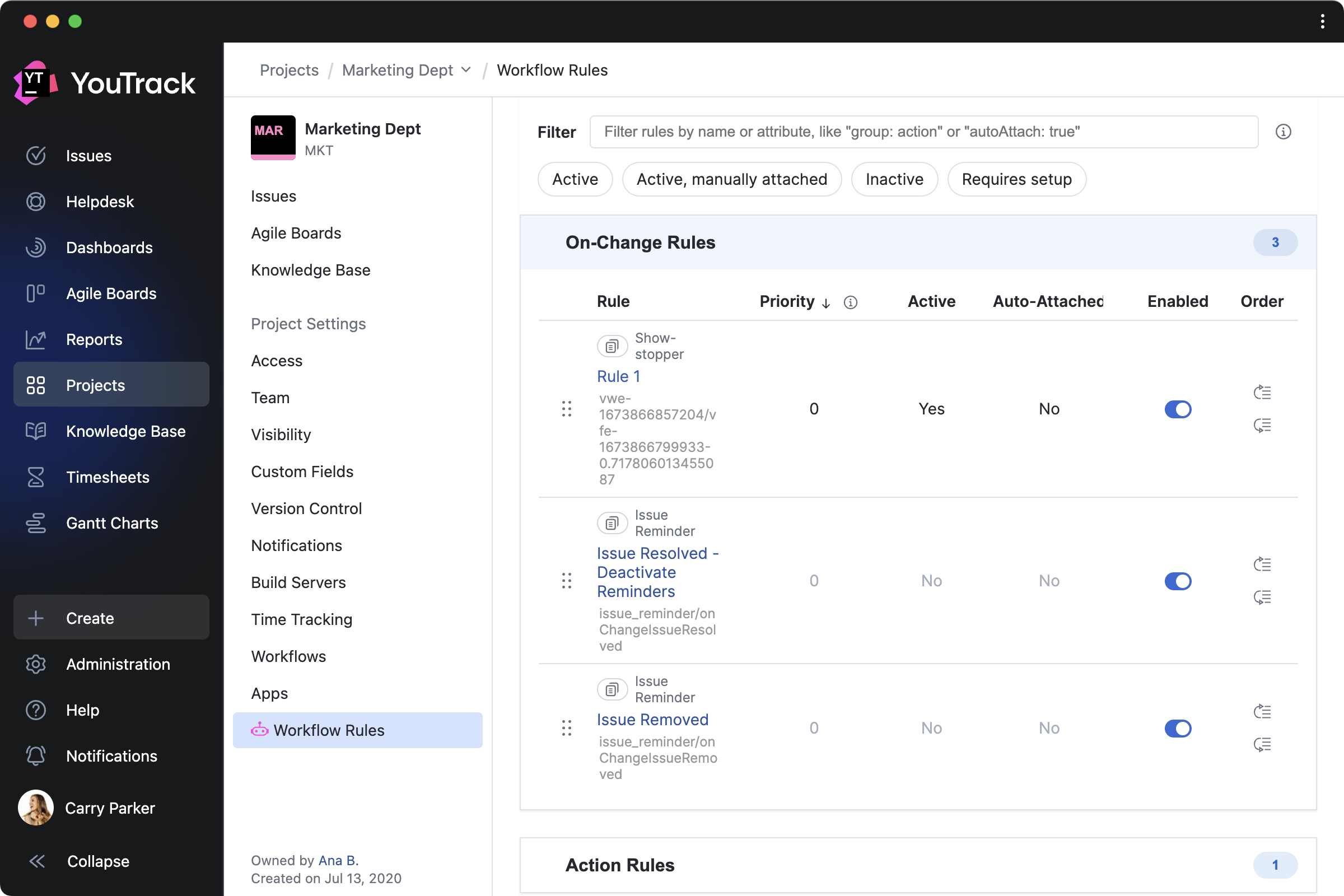
If you configure custom workflows, you can now edit workflow rules for your projects all in one place with the Workflow Rule Manager app by JetBrains.

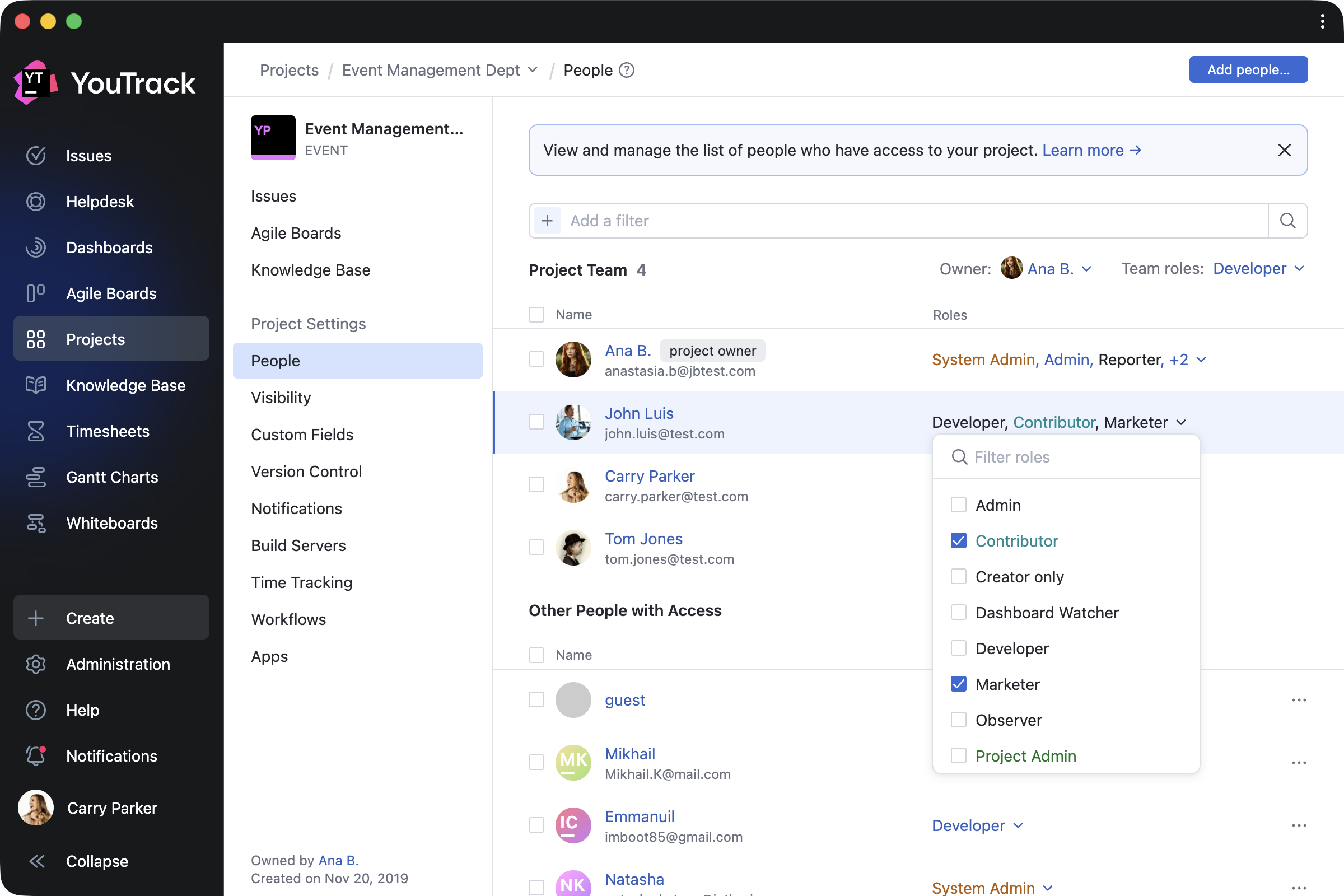
Invite new users to projects from tasks

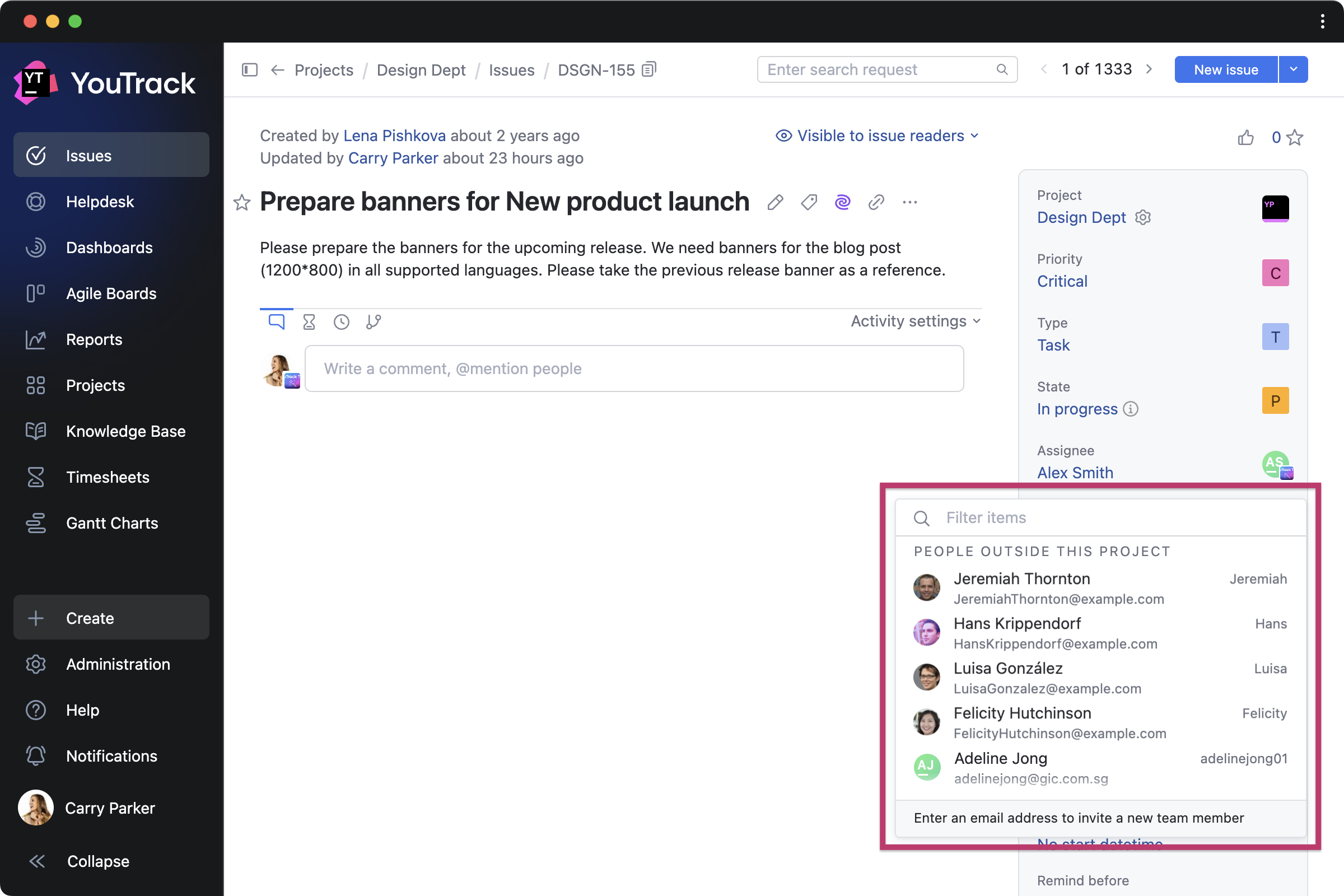
Administrators can now invite new users directly when assigning tasks, making it even easier to add people to your project. For example, when selecting a user in the Assignee field or any other field that assigns users, you can now choose people from outside the project, and they’ll be automatically added to the project team.

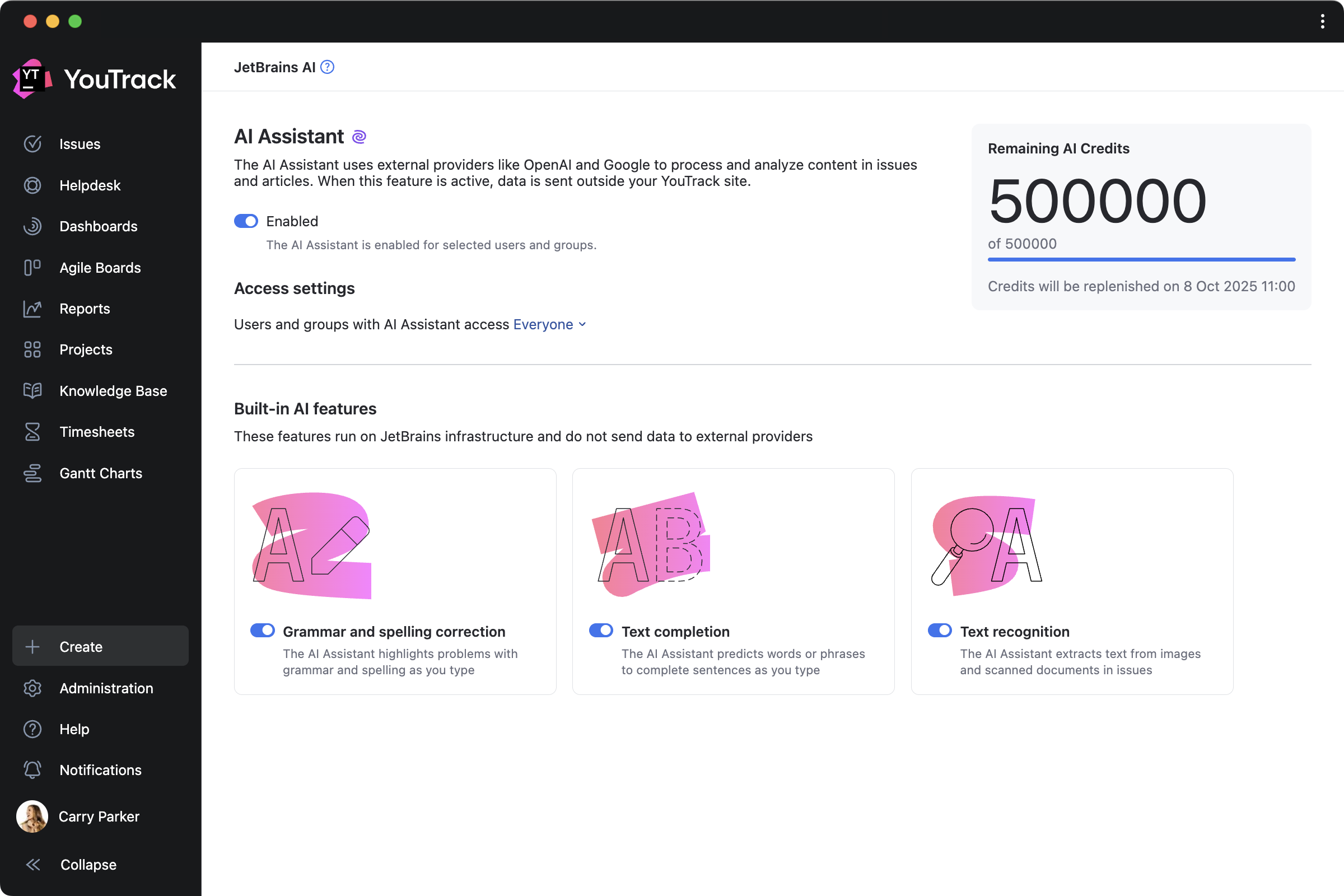
More easily manage settings for AI features

We’ve updated the AI Assistant settings page to give administrators more control over which features are active for your YouTrack. We’ve also added a dedicated tab to the profile settings, allowing each user to choose which features they want access to.

Other enhancements 

We’ve also enhanced the onboarding experience for new users, improved the Hub authentication module features, and made other small improvements.


Check out the release notes for the full technical details and a comprehensive list of this release’s bug fixes and improvements. For more details on configuring the latest features, see the documentation.

If you use YouTrack Cloud, you’ll automatically be upgraded to YouTrack 2025.3 in accordance with our Maintenance Calendar.

If you have an active YouTrack Server subscription, you can upgrade to YouTrack 2025.3 today.

If you don’t have an active YouTrack subscription, you can use the free YouTrack for up to 10 users to test out the new version before you commit to buying!

For more information about the licensing options available for YouTrack, please visit our Buy page.

Your YouTrack team
YouTrack 2026 Roadmap

$
0
0

Now that we’re in 2026, we want to take a moment to reflect on the past year and share what’s ahead. YouTrack continues to grow – we’re seeing more teams than ever making the switch, and we’re deeply grateful for the trust you place in us. Together with our consulting partners, we kicked off a number of migration projects with Fortune 500 customers last year, and even more are lined up for 2026. Your feedback has been the driving force behind the decisions we’ve made, and it continues to shape our roadmap.

This year, our focus is on making YouTrack even more powerful for large, scaling teams – here’s what we’re building.

Our commitment to YouTrack Server and Cloud

Giving you the flexibility to choose the hosting option that best fits your organization and data governance needs has always been our priority – and we intend to keep it that way for years to come. While Atlassian has been pushing Jira and Confluence customers toward cloud-only hosting and ending server support altogether, we’re going in the opposite direction. Technically, we maintain one codebase for both – every feature we build is available to Server and Cloud alike.

Continuous YouTrack Server support

We feel a deep sense of responsibility toward customers who choose YouTrack Server, especially those embarking on large-scale, long-term migration projects. Server hosting isn’t a legacy choice – it’s a valid long-term strategy, and it deserves our full support. Whether you are a growing team or a large enterprise, YouTrack Server will remain available to teams of any size. Behind the scenes, we’re also investing in our database architecture to ensure both hosting options continue to receive equal support and performance at scale.

New European data center for YouTrack Cloud

For YouTrack Cloud customers, we’re providing more flexibility and compliance with European data residency requirements. We are adding Frankfurt, Germany, as a new European data center location hosted by Amazon Web Services (AWS). Starting this February, new YouTrack Cloud instances can be configured with Germany as the selected location. For existing instances, changing the location where your data is stored requires the YouTrack Support team to migrate your instance from one data center to another. If you want to move your instance to a different data center, submit a request to YouTrack Support.

What’s ahead in 2026

Our 2026 roadmap is shaped by the people who use YouTrack every day. For teams migrating from tools like Jira and Confluence, we’re investing in smoother imports, expanding opportunities for app developers, and building the infrastructure to support large-scale transitions. We’re also making the Knowledge Base more collaborative for migrating teams bringing their documentation with them, and for everyone already using YouTrack. 

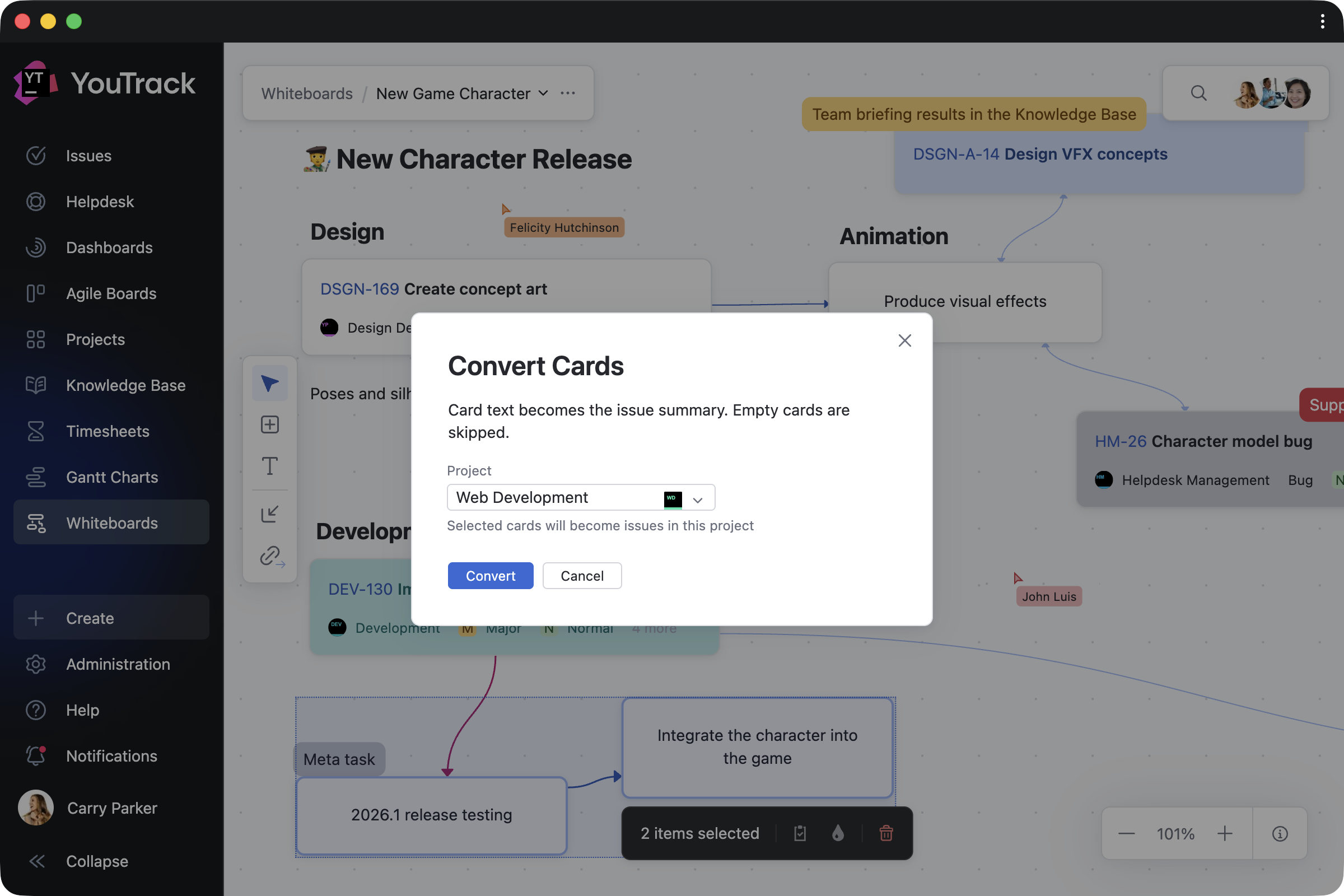
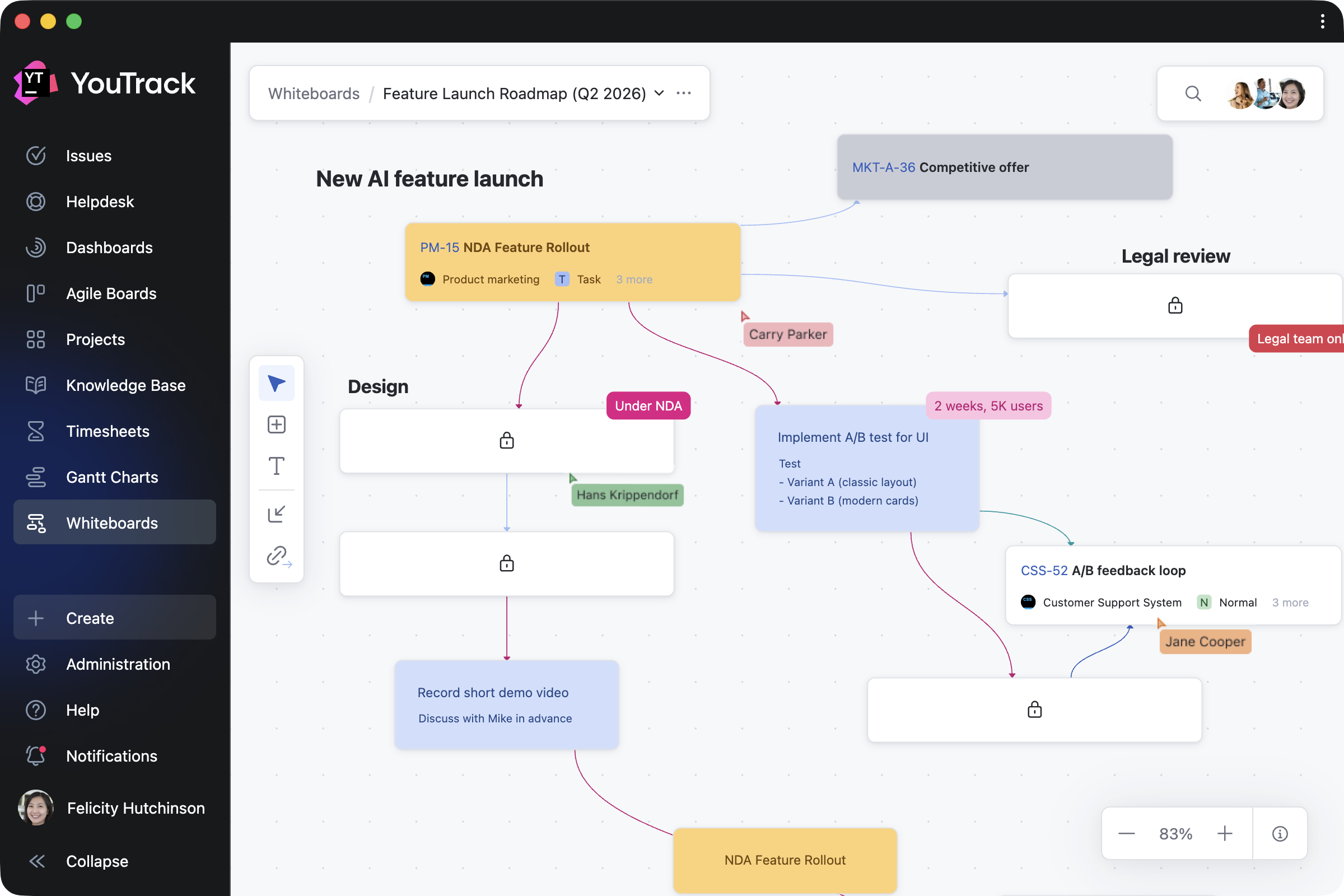
For project managers, this is a big year – we’re introducing Whiteboards as a major new way to plan visually, and we plan to enhance Gantt charts and Agile Boards. 

For B2B support teams, we’re expanding YouTrack Helpdesk with client organizations, enabling them to provide tailored experiences for different clients.

We’re also working to integrate AI assistance more deeply into every user’s daily workflow.

For growing and enterprise teams migrating to YouTrack

We work hands-on with large organizations through every step of their migration journey. What we learn from these projects directly shapes our roadmap – and we deliberately keep it flexible so we can quickly address challenges as they arise.

Enhancing the migration experience

We are working to make the migration from other project management tools to YouTrack easier and faster. We are continuously improving our existing import options, with a stronger focus on Jira and Confluence. You can also expect more built-in import options, including a new ClickUp migration wizard.

Creating new opportunities for app developers

Our consulting partners play a key role in supporting enterprise customers through migrations and project customization.

We’re investing in expanding opportunities for app developers – both for partners building solutions for their clients and for independent developers contributing to the JetBrains Marketplace app collection. You can now publish paid apps and build custom apps for AI-powered tools using YouTrack’s remote MCP Server. If you’re interested in working with a partner, contact us and we’ll connect you with the right team.

Improving YouTrack performance

We continue to work on migrating YouTrack to a new database that supports a multi-node environment, improving overall performance and ensuring the scalability and reliability required for large instances.

Сollaborative editing in Knowledge Base

For teams migrating from Confluence, a powerful Knowledge Base is essential. We’re working on collaborative article editing – and you’ll find the full details in the “For everyone” section below.

For Project Managers

Introducing YouTrack Whiteboards

Planning a project often starts with ideas rather than tasks. With YouTrack Whiteboards, we’re introducing a new, flexible way for teams to collaborate from a bird’s-eye view – whether you’re starting from scratch or building on existing project content.

You’ll be able to brainstorm and visualize ideas on a shared whiteboard-style interface in real time. Once notes are ready to be turned into actions, they can be transformed into tasks and articles with preconfigured dependencies, fully integrated into your YouTrack project’s context.

Gantt charts and Agile Boards

We plan to enhance Gantt charts with an improved UI for easier timeline viewing and better performance when making changes. Agile Boards will gain the ability to embed task lists, making it faster to navigate to important tasks directly from the board.

For B2B support teams

Helpdesk with client organizations

We’re expanding YouTrack Helpdesk to better support B2B scenarios. Our next step is introducing client organizations, enabling support teams to provide tailored experiences for different clients. You’ll be able to manage tickets from multiple client organizations at once, while keeping requests clearly separated. All tickets related to a client organization will be visible to its members by default, giving each client full visibility into the status and progress of their requests.

For everyone

Collaborative editing in your Knowledge Base

Collaborative article editing has been one of the most requested features in YouTrack – and one that’s technically challenging to build. We’re looking forward to finally making it happen. You’ll be able to work on content together with your team members in real time, see who else is editing, and make changes simultaneously. We also plan to improve the experience of working with tables by introducing more convenient editing options.

AI assistance

These days, it’s hard to imagine our day-to-day workflows without AI. We’ll continue enhancing the free AI assistance available out of the box in YouTrack, with a focus on contextual capabilities seamlessly integrated into your workflow. Here’s a preview of what we plan to make available soon:

  • An AI-powered chat that supports you in all aspects of your work. Ask YouTrack via text or voice commands to update tasks, search through articles, manage planning on Whiteboards, and perform many other project-wide actions.
  • Creating tasks from Slack will become easier with semantic AI, letting you generate task drafts from conversation context with team members or clients.
  • A new My Work page will provide a personalized view of tasks and articles, organized into widgets to help every user stay focused on what matters most.

Agent-based automation

Delivering AI automation remains our focus. We’ll continue to make the data available in YouTrack ready for consumption and manipulation by AI agents. 

For teams that prefer to work on projects from their existing LLM, IDE, or agent platform, we’ll expand the range of predefined actions available via YouTrack’s remote MCP server. We’ll also build custom integrations for popular AI-powered tools. Starting this February, YouTrack will be available as part of n8n, empowering you to automate workflows and connect YouTrack with hundreds of apps and services.

Let’s shape the future of YouTrack together

We’d love to hear from you! Your feedback shapes YouTrack’s future, and we’re always open to ideas, suggestions, and insights. Whether you want to share a feature request, an improvement suggestion, or just your thoughts, get in touch with us by commenting on this blog or using our public project tracker.

Thank you for being a part of the YouTrack community. Together, we’re building a more powerful YouTrack for 2026 and beyond.

Your YouTrack team!

YouTrack Introduces Whiteboards

$
0
0

YouTrack 2026.1 introduces Whiteboards, a new way for teams to plan, brainstorm, and collaborate. Connect your current projects to get a better overview and organize work, or add notes and turn them into tasks and articles when you’re ready. This allows project managers and teams to plan from scratch, collaborate on ongoing projects, and ensure every activity is linked to your work in YouTrack.

We’ve also streamlined project access management for administrators and improved the notification center experience for all users. For teams that rely on AI tools in everyday workflows, there are new ways to use YouTrack within your existing stack, including an n8n integration and new remote Model Context Protocol (MCP) server actions for the Knowledge Base.

The YouTrack app ecosystem continues to grow, with 50 apps now available on JetBrains Marketplace. We’ve highlighted some of the latest apps for project managers, QA and support teams, and more.

Turn planning into action with Whiteboards

We’re excited to introduce Whiteboards – a new, flexible space where you can visualize your projects as you work on them. Whiteboards extend YouTrack’s built-in functionality and are available to every user and agent.

Whether you’re a project manager structuring a plan, a team brainstorming together, or an individual organizing your own work, Whiteboards support your approach. You can restructure existing projects, plan what comes next, and capture everything along the way – all in one place.

How Whiteboards work in a nutshell

Turn ideas into tasks and articles

Work on Whiteboards on your own or together with your team, using cards and text blocks to shape your ideas and turning them into tasks or documentation with a single click.

You can also connect any notes with links, so that linked cards reflect real relationships between tasks in your projects.

Import and work on ongoing projects

When you need to reorganize your current work, you can bring existing tasks, tickets, and articles onto your Whiteboard and update them directly as your plans evolve. Every change you make is instantly reflected across your projects – for both imported items and those created on the Whiteboard. Task dependencies are synced automatically as well.

Navigate and track your progress

You can return to any Whiteboard at any point to see how your plans have evolved. Zoom in to focus on specific areas, switch to full-screen mode for a bird’s-eye view, or use search to quickly find and navigate to relevant content.

You can also control who can view or edit your work, with visibility on shared Whiteboards following your YouTrack project permissions.

Adapt Whiteboards to your work

Since Whiteboards start from a blank canvas, you can shape them to fit any work scenario – from creating a cross-project overview to focusing on specific topics in detail. Here are a few ways you can use them.

Plan projects 

Planning often starts with ideas rather than structured tasks. Project managers can outline team roadmaps, restructure ongoing work, or visualize new projects. As cards are converted into YouTrack tasks and articles, your team can continue working in projects without interruption.

Brainstorm with the team

Any team member can add and update cards, text blocks, and their connections in real time or asynchronously. Whether you’re running a retrospective, building a mind map, or sketching out ideas together, Whiteboards adapt to your team’s distinct workflows. For example, product teams can shape new features, while support teams can map customer journeys.

Share knowledge with your users

Administrators can create shared Whiteboards to explain workflows, processes, and project structures to users or guests. By combining guidance notes with direct links to relevant tasks and articles, you make it easier to access everything in one place.

Organize personal work

Individual users can also use Whiteboards for their own planning – capturing ideas, organizing a week, or taking notes that are visible only to them. When you’re ready, you can invite others to collaborate and turn your private whiteboard into shared work.

Design enhancements for administrators and teams

Streamlined access management for projects

We’ve added further YouTrack design updates to make working on your projects easier. The new People tab on the project overview page simplifies how administrators manage project teams. Administrators can add or remove users and groups, assign roles, and filter team members by roles and permissions – all without having to jump between pages. The previous Team and Access tabs are now combined into a single, streamlined view. You can learn more about all changes in our documentation.

Here’s how it works in practice. When new team members join, you can add them to the project and assign their role right away. To manage existing project members, you can filter users and groups, then update or revoke their roles as needed. The People tab also lets you control access for people outside the project team, giving you a clearer overview of who can access your project.

Full-page notification center

Every user can now expand the notification center to a full-page view and reply to comments directly from there. This makes it easier to quickly respond to feedback or discussions without switching contexts.

Use YouTrack inside your existing stack with AI-powered integrations

For many teams, AI tools are already part of their everyday workflows. In addition to our built-in free AI assistance, we’re introducing new AI-powered integrations so you can use YouTrack from the tools you already rely on.

n8n integration

n8n is a workflow automation platform that connects your tools and services without code. YouTrack now has a dedicated node in n8n, so you can automate workflows and connect YouTrack with hundreds of apps – sync data, trigger issue updates, execute YouTrack commands, and build cross-platform workflows with ease.

You can build your own workflows or use existing templates. For example, you can configure workflows to collect data from third-party systems into YouTrack, update tasks based on actions from your AI agents, share YouTrack content with other systems, and much more. This means YouTrack can be integrated into every step of your automation.

New remote MCP server actions for the Knowledge Base

For teams working from their existing LLM, IDE, or agent platform, we’ve expanded the number of predefined actions available via YouTrack’s remote MCP server. You can now use AI-powered tools to find, create, and update Knowledge Base articles and create tasks with pre-configured visibility.

If you want to set up the remote MCP server for your coding agents, such as Claude Code or Cursor, or for integration platforms like Zapier and Make or other automation tools, you can find detailed instructions in our documentation.

YouTrack Helpdesk experience for standard users and agents 

We’ve enhanced the experience for standard users and agents participating as internal reporters in helpdesk projects, making it easier for them to submit and track their own requests. They can now seamlessly access reporter functionality while submitting tickets and receive reporter email notifications.

When the product team needs to join the conversation, standard users now have a similar experience to agents when replying to reporters via public comments or email CC.

New apps on JetBrains Marketplace

Check out some recent apps from our certified consulting partners and third-party providers, now available to enhance your YouTrack experience.

Apps for project managers and teams

Planning Widget by CARL von CHIARI helps managers plan team activities in a calendar view. Review the tasks and tickets your team members work on each day, track time spent, and filter the view by employee.

Risk Manager by Rixter AB helps project managers assess project risk levels by building risk-matrix widgets based on the probability and impact of specific outcomes for selected tasks.

Article Approval by twenty20 is a paid app that allows teams to manage approval workflows directly in the Knowledge Base. You can invite approvers and acknowledgers for each article, set due dates, and track approval statuses.

Apps for QA and DevOps teams

Test Case Generator by Depa Panjie Purnama helps users create test cases or generate them using AI models while working on other development tasks.

TestOps Plugin by bodm helps DevOps teams to stay on top of testing while developing features. It brings recent test cases from Allure TestOps directly into related tasks.

Bug Report Constructor by Evgenii Venediktov allows QA teams to collect bug reports using a single template and enables users to quickly create task drafts with pre-saved blocks.

Gerrit Integration by Phoenix Systems helps developers display related Gerrit Code Review changes directly in tasks, including status, approvals, and links.

Apps for support teams

Custom Ticket Views by ​​Appfero is a paid app created to help support teams enhance reporters’ experience when working in YouTrack Helpdesk. It adds a new menu section that shows a reporter their submitted tickets in a customizable view.

Customer Satisfaction by Appfero is another paid app that enables teams to collect feedback on task execution through automated customer satisfaction surveys (CSAT). Configure your custom survey flow and review response analytics directly in YouTrack.

Apps for working with task, ticket, and article content

Clever Checklists by TEKDynamics lets everyone manage daily work with to-do lists by adding a custom checklist to every task in a selected project.

Ticket Templates by Marcus Christensson automatically updates tasks and article content using your saved templates, which can be created based on ticket fields, tags, and various other conditions.

Article Templates by Maksim Fedorov makes it easier to draft articles based on existing Knowledge Base content. You can turn articles into templates and manage them all from a handy Article templates dashboard widget.

Text Replacer by Marcus Christensson allows you to update content across your project on either a one-time or a recurring basis. You can use it for tasks and articles to turn external system IDs into links, replace text with ready-made content, and more.

Copy link and context as Markdown by Maksim Fedorov makes working with content easier by copying selected tasks or article contexts, and their links, as Markdown.

App for administrators

Admin Tools by msp AG is created for administrators and adds a separate page that lets you add custom fields to multiple projects at once, get a clear overview of all projects, and view license information for your YouTrack.

Other enhancements 

Knowledge Base articles now rank more accurately in search results thanks to AI enhancements, helping you find the right information faster. We’ve also introduced other small design updates to further improve your overall experience.


Check out the release notes for the full technical details and a comprehensive list of this release’s bug fixes and improvements. For more details on configuring the latest features, see the documentation.

If you use YouTrack Cloud, you’ll automatically be upgraded to YouTrack 2026.1 in accordance with our Maintenance Calendar.

If you have an active YouTrack Server subscription, you can upgrade to YouTrack 2026.1 today.

If you don’t have an active YouTrack subscription, you can use the free YouTrack for up to 10 users to test out the new version before you commit to buying!

For more information about the licensing options available for YouTrack, please visit our Buy page.

Your YouTrack team

Security Issue in YouTrack (CVE-2026-33392): Upgrade Recommended for Server Versions Before 2025.3.132953

$
0
0

A security vulnerability in YouTrack came to light in March 2026, and we fixed it immediately. Most of you don’t need to do anything, but we want to keep you informed. For most YouTrack administrators, this is purely an informational post.

  • We have already upgraded YouTrack Cloud to a new version.
  • YouTrack Server instances on version 2025.3.132953 or later are not affected.

Action required from YouTrack Server administrators

If you are running YouTrack Server on a version older than 2025.3.132953, we recommend upgrading to any version available to you, starting from 2025.3.132953, as soon as possible.

You can check your current version in Administration | Server Settings | Global Settings. To see which versions are available under your license, check the License Details section in the settings or visit your JetBrains Account. To upgrade, download the latest available version from the YouTrack download page, or pick a specific build from the previous versions page. For upgrade instructions, refer to the Installation and Upgrade documentation.

The vulnerability: summary

In March 2026, a security researcher from the Hacktron AI team identified a vulnerability and reported it to us through our coordinated disclosure policy. The core issue was a sandbox bypass that could allow code execution and required administrator-level permissions to exploit.

The vulnerability has been assigned the identifier CVE-2026-33392. It affected all YouTrack versions before 2025.3.132953.

The impact was most significant in YouTrack Cloud, allowing bypassing the cross-tenant isolation boundaries for tenants sharing the same hardware.

YouTrack Server is a single-tenant solution, meaning that it’s not possible to access anything that does not already belong to the server owner. At the same time, the vulnerability requires administrative permissions to exploit.

Mitigation

We implemented mitigation measures within 48 hours of receiving the report.

YouTrack Cloud servers were patched, and we have found no evidence that the vulnerability was ever exploited.

For YouTrack Server, the fix is included in version 2025.3.132953 and all later versions. There are no tenant boundaries in YouTrack Server, but the vulnerability may still allow permission escalation within administrative roles.

Security bulletin

A complete list of recently fixed security issues is available on the Fixed Security Issues page on the JetBrains website. You can also subscribe to receive email notifications about security fixes across all JetBrains products.

Frequently asked questions

Which versions are affected?

All YouTrack versions before 2025.3.132953 were affected.

Is the YouTrack Server affected?

Yes, but to a much lesser extent than YouTrack Cloud. YouTrack Server is a single-tenant solution, so there are no cross-tenant boundaries at risk. The vulnerability requires administrative permissions to exploit and may allow permission escalation within administrative roles. If you are already on version 2025.3.132953 or later, no action is needed.

Was my data compromised?

We have found no evidence that the vulnerability was ever exploited in any environment.

Support

If you have any questions regarding this issue, please get in touch with the YouTrack Support team.

Your YouTrack team